Updated on August 28, 2026
In short: The best project tracking tool depends on your industry and business priorities. This article compares 21 project tracking software programs by functional focus.
Transparency note : This comparison is published by Stafiz, the publisher of one of the solutions presented. Information on the other tools was taken from their publishers' public pages in August 2026.
The best project tracking software for 2026 depends on your industry and business priorities: Stafiz for service companies ( IT Services Consulting firms, professional services), Jira for IT development, Adobe Workfront (specifically for creative agencies already using Creative Cloud), Procore for construction, and BQE Core for architecture, engineering, and consulting. This comparison reviews 21 software programs categorized by functional focus and industry.
Choosing the best project tracking software depends first and foremost on your business priorities. Don't want to waste any more time in unnecessary meetings? Do you want to optimize the margins of your project portfolio? Do you need to anticipate your resource needs in real time? Each problem can find its ideal tool.
This article offers a classification by functional orientation and by sector of activity. The objective: to help you identify the solution that best fits your processes, without multiplying software or dispersing your data.
🔎 What you need to know about choosing a project monitoring tool
- Collaborative tools (Notion, Hive, Freedcamp, Bubble Plan, Planzone) organize tasks, progress and, for some, the allocated budget (expense tracking), but none calculates a real margin per mission.
- Project management and steering tools (Stafiz, Productive.io, Accelo, Celoxis) link time spent, costs and billing in the same environment.
- Choosing collaborative project management software depends primarily on your priorities: managing inter-contract periods, collaboration, multi-project management , financial control, publisher present in France or Europe…
Project Tracking Tools Ranked By Functional Criteria
How we selected these tools. We chose software that service companies encounter during the consultation phase, based on information from their publishers' product pages. Each tool is evaluated on five criteria: progress tracking, margin management, workload management, billing, and native scope.
The advantages and limitations of these tools are based solely on the public pages of the publishers and software, as recorded in August 2026.
Monitoring tools focused on financial and resource management
Comparison of financial management tools and resources
| Stafiz | Service companies with 20 to 500 employees | Yes, with a project completion forecast | Yes, margin at date and termination | Yes, as soon as the business opportunity arises. | Broad coverage that requires an implementation framework |
| Productive.io | Agencies, consulting firms and IT services | Yes, milestones and dependencies | Yes, projected budget versus actual budget | Yes | Interface and support in English |
| Accelo | Professional service companies | Yes, with early risk detection | Yes, from the quote to the payment. | Yes | No commercial presence in France |
| Celoxis | PMO and multi-project finance departments | Yes, portfolio and advanced reporting | Yes, predicted versus actual | Yes, capacity and demand | Billing via integration (QuickBooks) rather than natively |
As projects become more complex, multi-project project tracking is no longer limited to tasks or deliverables. However, many service companies (IT Services, consulting firms, agencies, HR firms, integrators...) still use scattered tools: Excel for times, a CRM for pre-sales, another software for purchases and expenses... This fragmentation of information makes it difficult to monitor the budget in real time.
Added to this are the unforeseen events: changes in scope requested by the client, addition of tasks generating new costs, departures or reassignments of talent, evolution of ADR (average daily rates) internal. Without a forecast view or dedicated alerts , deviations are detected too late.
Without a real-time project tracking tool, how can you make a decision or react quickly?
Stafiz, the all-in-one control solution
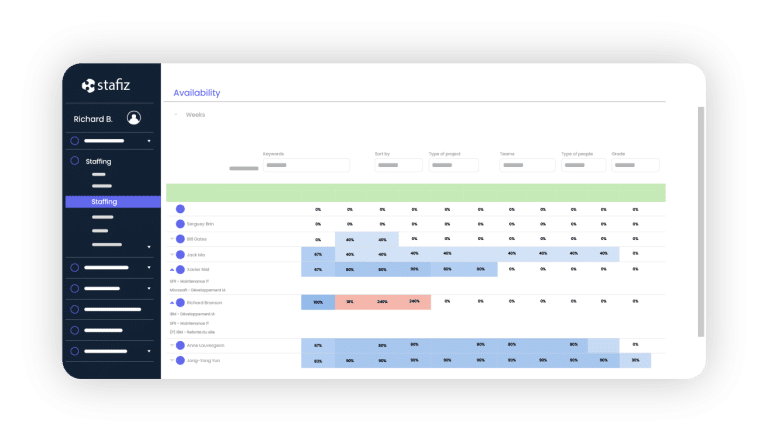
Stafiz is the source of operational truth for IT consulting and services companies: the system that brings resource planning , projects and finance together to produce fairer, faster and more profitable trade-offs.
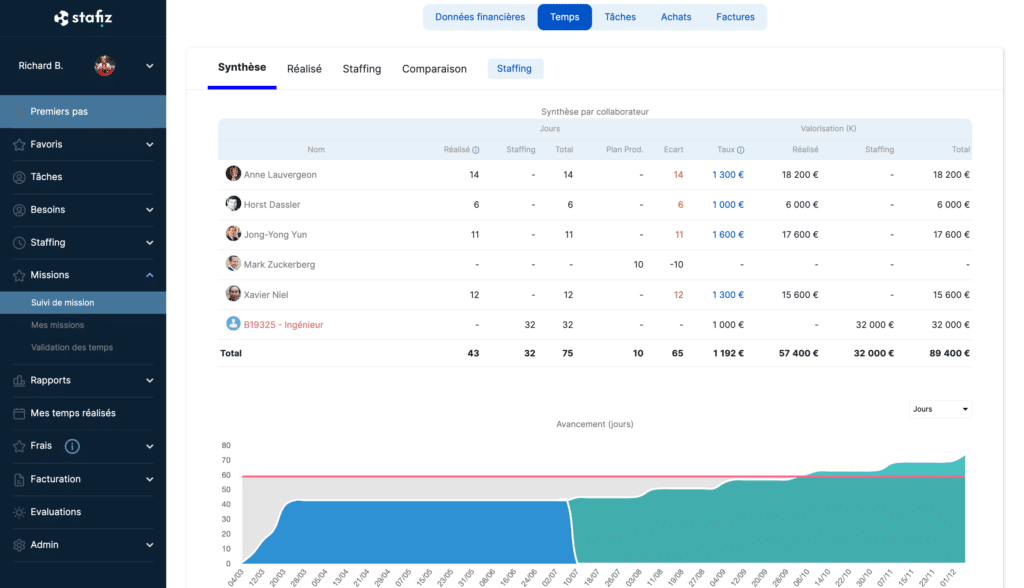
In terms of project tracking, Stafiz allows you to:
- real-time monitoring planned vs. completed (charges, costs, deliverables);
- complete visibility on the progress and the forecast at the end of the project ;
- an alert system to quickly detect project abuses ;
- Integrated financial management: margins, invoicing, cash flow.
- complete management of external resources: subcontractors and freelancers are included in the workload plan and margin calculation in the same way as internal teams;
- the re-invoicing between entities and the reallocation of revenue between business units, without manual reprocessing;
- several methods of revenue recognition (progress, completion, time spent, linear) and an export of pre-accounting data to the accounting tool.
Stafiz offers other features for managing the resource planning and financial monitoring:
- a resource planning advanced and automated with profile/project matching;
- of the pre-resource planning from the commercial opportunity to anticipate needs;
- Suggestions and scenarios to optimize talent allocation.
- the follow-up of the utilization rate and time spent analysis to maximize productivity;
- monitoring of the provisional progress to adjust during the mission;
- Integrated financial management: margins, invoicing, cash flow.
Thanks to its interactive dashboards, Stafiz gives service companies full visibility into their performance and profitability, while facilitating quick and documented decision-making.
What limits should be anticipated before adopting Stafiz?
- Broader coverage than a tracking tool alone : the rich functionality requires an implementation framework to select the modules adapted to your structure, configure the workflows and train the teams.
- Sizing for a small structure : practices with fewer than twenty people who are only looking for time tracking and simple billing will find the platform oversized.
What are the use cases for Stafiz?
- Suitable for firms that want to unify CRM, resource planning , production and finance : a single data source for sales, operational and financial teams.
- Adapted to IT Services and rapidly growing firms : managed services, fixed-price contracts and technical assistance in the same repository, with margin tracking by business unit.
- Adapted for companies limited by Excel : margins, capacity and profitability are calculated without re-entry.
- Suitable for structures subject to a sovereignty requirement : French publisher, European hosting and compliance, without dependence on an American publisher.
- Not well suited to a team looking for a simple task manager : daily operational monitoring requires a collaborative tool.
What size and profile of companies does Stafiz target?
- Optimal size : 20 to 500 employees. Below twenty people, an Excel spreadsheet is still sufficient and the investment exceeds the immediate benefit, except in the case of anticipated rapid growth.
- Target sectors, in order of priority : consulting firms (traditional, engineering, project management assistance), IT Services and digital services, marketing and communication agencies, software integrators and development agencies, publishers in their services branch, information systems departments, and then accounting and auditing firms. All the professions that sell qualified time.
- Organizational maturity : structures in the process of structuring or growth, often multi-business units, sometimes international.
Productive.io, the platform for resources, projects and finances for agencies
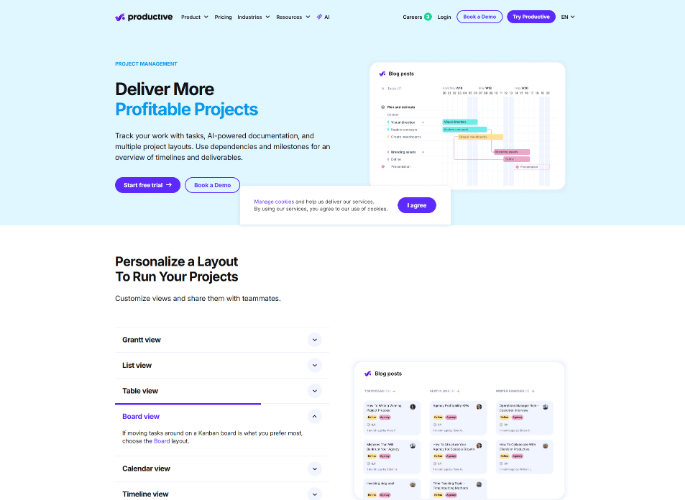
Productive.io brings together resource planning, project management and financial management on a single platform, in its version 5.0. The publisher offers its services to agencies, consulting firms, IT services, publishers, accounting firms and engineering firms.
What are the key features of Productive.io?
- Time tracking.
- Calculation of project profitability and margins.
- Monitoring of the provisional vs. actual budget.
- Integrated invoicing.
- Resource planning and team workload.
- Sales, CRM and reporting.
- Forecasting, revenue recognition, expense management and scenario generator.
What advantages does Productive.io bring to service companies?
- Resources, projects and finances all in one place : budget spent, team workload and billing can be viewed in a single environment, without a gateway between three tools.
- Customer access to budget status : the client can check the progress of consumption themselves, which reduces the exchange of justifications at the end of the month.
- Multiple views on the same project : seven views available including Gantt chart, list, table, calendar, Kanban, timeline and Workload view (the most relevant for a service company).
- Breakdown by profession : the publisher addresses six verticals with a distinct promise for each (agencies, consulting, IT services, publishers, accounting firms, engineering).
- Assisted documents and forms : the collection of requests and the production of documents remain in the project flow rather than in a separate tool.
What limitations should be anticipated before adopting Productive.io?
- Interface and support in English : the publisher's website exists in English and German, but does not have a French version.
- High functional overlap : the platform addresses the same business lines as French solutions in the segment, with Anglo-Saxon financial vocabulary to transpose.
- Lack of native accounting : the tool includes an invoicing module, but accounting management depends on third-party solutions (Xero, QuickBooks, Exact).
What are the use cases for Productive.io?
- Tailored for English-speaking agencies and firms : the vocabulary and format correspond to their daily work.
- Suitable for organizations that want to open up the budget to the client : the portal reduces end-of-mission tensions.
- Not well suited to exclusively French-speaking teams : the language barrier slows down the entry of times.
- Not well suited to organizations with strong French accounting constraints : the closing process still needs to be handled elsewhere.
What size and profile of companies does Productive.io target?
- Size : The publisher does not provide a size range. Its references range from independent agencies to multi-entity service groups.
- Target sectors : agencies, consulting firms, IT services, software publishers, architecture and engineering.
- Organizational maturity : companies that already manage their profitability by project and seek to eliminate intermediary tools.
Accelo, the Australian-American PSA
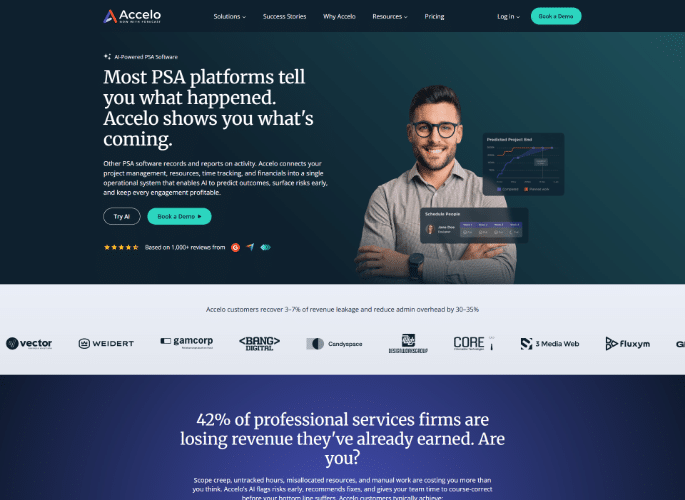
Accelo, founded in Australia in 2011 and now based in Denver, covers the entire quote-to-pay cycle for service companies. Its focus has since expanded to include delivery risk forecasting, following its acquisition of Forecast PSA in 2025 , with integration into the Accelo brand completed in May 2026.
What are Accelo's key features?
- Complete workflow from quote to payment
- Integrated customer billing and revenue forecasting
- Project tracking connected to an external CRM (HubSpot, Salesforce)
- Early detection of delivery risks (via the acquisition of Forecast)
What limitations should be anticipated before adopting Accelo?
- No French-language office or support : the website does not exist in French. The publisher has French clients, but does not advertise a French-language offering.
- Two products under one brand : Accelo and Forecast PSA remain separate platforms after the acquisition, with two connection areas and two separate help centers.
Who is it for? English-speaking professional services companies that want to automate their project lifecycle. Not for a team that requires French-language support.
Celoxis, the portfolio and reporting before the resource planning
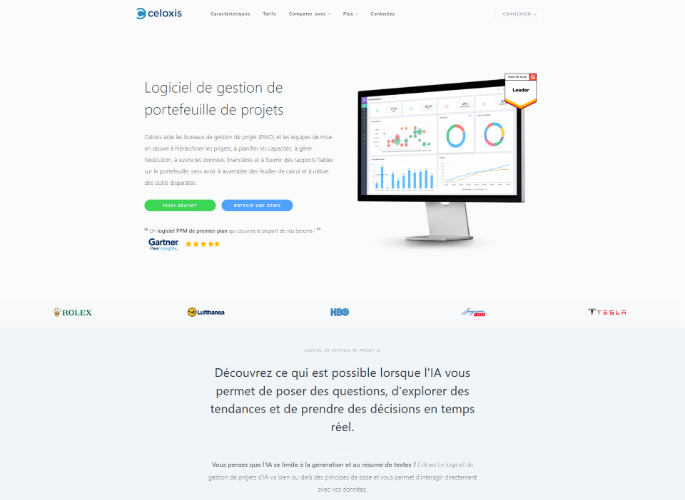
Founded in India in 2001, Celoxis targets project management offices and finance departments that manage a portfolio of projects. It offers on-premises installation as an alternative to hosted solutions. The company is compliant with GDPR and ISO 27001 and SOC 2 standards .
For the Cloud offering, Celoxis now allows you to choose your hosting zone : data is stored by default in the United States, but a hosting option in Ireland (European Union) is available on request.
What are the key features of Celoxis?
- Sorting of project requests, compared with available capacity
- Projected margins and profits versus actual profits
- Advanced reporting and customizable dashboards
- Native integrations with Jira and Azure DevOps
What limitations should be anticipated before adopting Celoxis?
- The invoicing feature is not native : time, cost, and work-in-progress tracking is integrated, but invoice generation relies on the QuickBooks Online connector. The tool is designed for project tracking within a portfolio and reporting, not for invoicing.
For whom? Project offices and finance departments managing a multi-project portfolio. Not for a firm primarily seeking to allocate its consultants.
Project monitoring tools for collaborative monitoring
Comparison of collaborative tracking tools
| Notion | Small teams, internal projects, documentation | Yes, tasks and timeline | No | No | No cost or margin tracking |
| Hive | Project teams seeking multiple views | Yes, Kanban, Gantt, portfolio | Additional paid module | Additional paid module | Timesheets, resourcing, and finance are billed as optional extras. |
| Freedcamp | Small structures with limited budgets | Yes, milestones and tasks | No, billing without project consolidation | No | Gantt chart (available only with paid plans) |
| Bubble Plan | SMEs, local authorities and large groups, in France | Yes, Kanban progress view and portfolio | No, budget forecast versus actual cost with no margin per mission | Yes, teams, workload and leave (Business level) | No billable time, no margin per project |
| Planzone | IT departments, R&D and local authorities | Yes, milestones and dependencies | Budget, without margin per mission | Yes, resources and hourly cost | Neither resource planning commercial, nor customer billing |
Notion, the document workspace that has become a project tracking tool
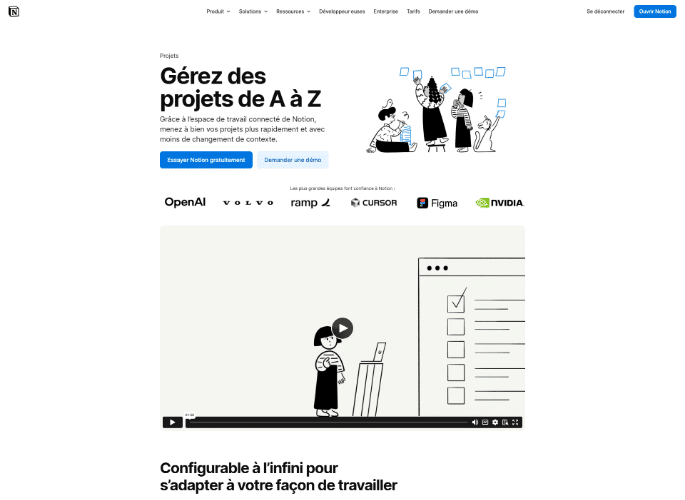
Notion is an American software company. Its original focus was on document management (notes, knowledge bases, procedures), and its project layer was built on top of that, using the same database engine. It claims four ISO certifications, including ISO 27001, and a SOC 2 Type 2 report . Data hosting in Europe is possible , but this option is only available with the Enterprise plan and requires a request to the company; by default, the workspace remains hosted in the United States.
What are the key features of Notion?
- Configurable databases per project and per team
- Chronological view with dependencies between tasks
- Customizable progress bars and properties
- Documentation and task tracking in the same space
What limitations should be anticipated before adopting Notion?
- No financial management : the Notion Projects page does not mention budget, cost, or margin in its project tracking and stops at the progress of tasks.
- Neither resource planning nor workload planning : the allocation of consultants and team capacity are also not included in the tool.
For whom? Small teams and internal projects of all sizes for the documentation aspect. Not for a service company that needs to maintain a profit margin per project.
Hive, the multi-view work platform
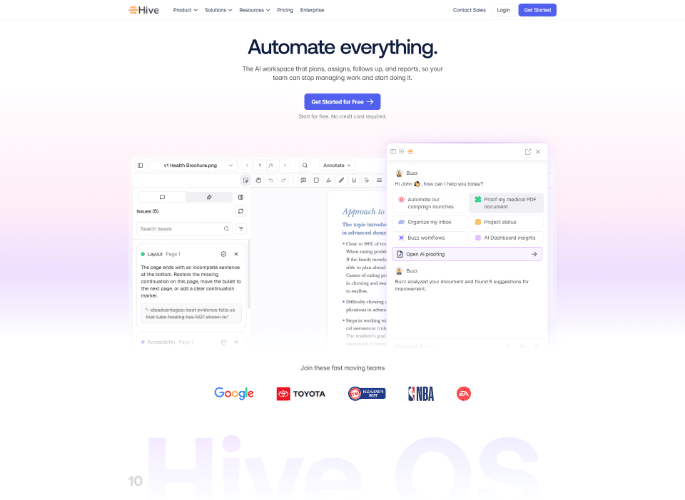
Hive offers multiple ways to view a single project: twelve catalog views, from Kanban to Gantt charts and portfolios, and has added a financial module, Hive Finance , which links quotes, invoicing, and accounting to completed work. The company claims to be SOC 2 certified and advertises ISO 27001 accredited hosting.
What are the key features of Hive?
- Kanban, Gantt, timeline and portfolio views
- Real-time dashboards and customer portal
- Financial building block linking quotes, invoicing and projects
- Visualizing the team's availability over the duration of the project
What limitations should be anticipated before adopting Hive?
- Customizable scope : CRM, finance, proofreading, timesheets and resourcing are billed as options at $5 per user per month each.
- Key features only in the most expensive version of the tool : timesheets and resourcing are only included at the highest level of the offer.
- resource planning is an optional paid feature : allocation by skill exists (the publisher refers to it as “skills-based capacity planning”), but it falls under the Team resourcing module, which is billed separately.
Who is it for? Project teams that want Kanban, Gantt charts, and portfolio management without leaving a single tool. Not for organizations that manage their margins on a project basis.
Freedcamp, the free service that goes further than you might imagine.
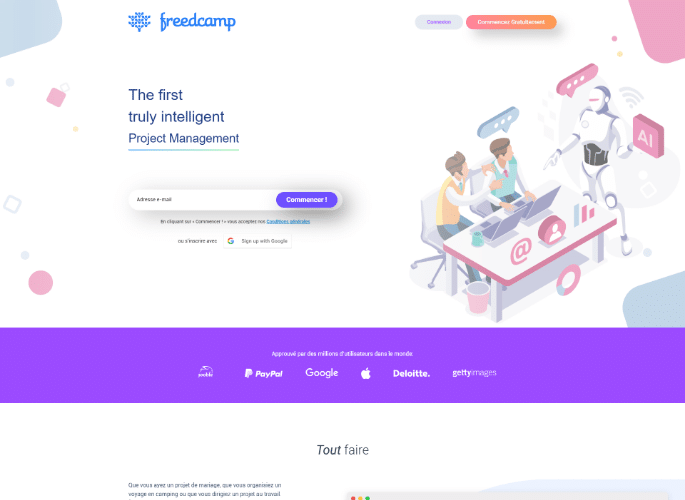
Founded in 2010 in the United States, Freedcamp uses a freemium model. Its free plan doesn't limit projects, tasks, or the number of collaborators. However, additional features quickly require upgrading to higher plans (Pro, Business, and Enterprise).
What are the key features of Freedcamp?
- Task lists, Kanban board and subtasks
- Milestones, agenda and discussions
- White label and third-party integrations
- Billing, CRM, tickets and wiki (from the Business tier)
What limitations should be anticipated before adopting Freedcamp?
- Gantt charts are only available with paid plans : the chronological view, the most useful for tracking a long project, is not included in the free plan. Time tracking, however, is included.
- Juxtaposition of modules : each brick works for itself, without financial consolidation by project.
Who is it for? Small teams and organizations with limited budgets who want to cover a lot without paying a lot. This tool won't be enough to manage profitability per project.
Bubble Plan, visual management the French way
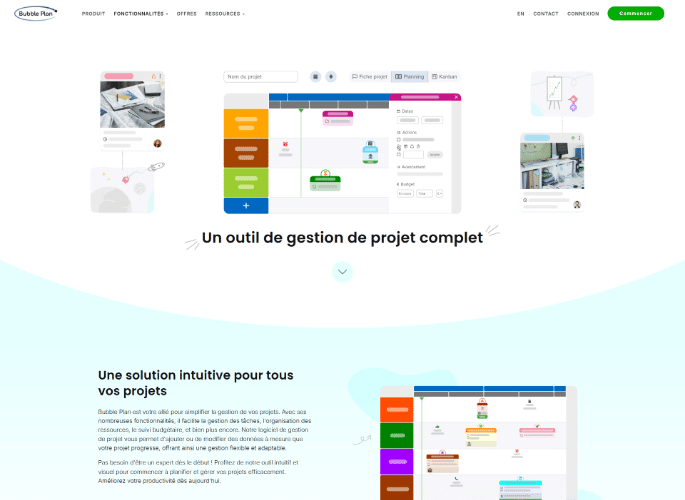
Founded in February 2015, Bubble Plan is a French company. Its data is hosted in France by OVHCloud (note, however, that some third-party providers may access data outside the EU for support or maintenance purposes), and its privacy policy ensures compliance with the GDPR. It focuses on visual planning and immediate usability.
What are the key features of Bubble Plan?
- Drag-and-drop Gantt view, with dynamic dependencies that automatically reposition the rest of the schedule
- Planning, Kanban and milestone views
- Portfolio, progress and workload dashboards
- Read-only licenses, not billed like users
What limitations should be anticipated before adopting Bubble Plan?
- Free offer limited to a single project : beyond that, you have to switch to a paid tier.
- Neither billable time nor margin per mission : it stops at managing tasks and the allocated budget.
For whom? SMEs, local authorities, and large groups that manage action plans. Not for a service company that bills by the hour.
Planzone, sovereign budget monitoring, focused on R&D and the public sector
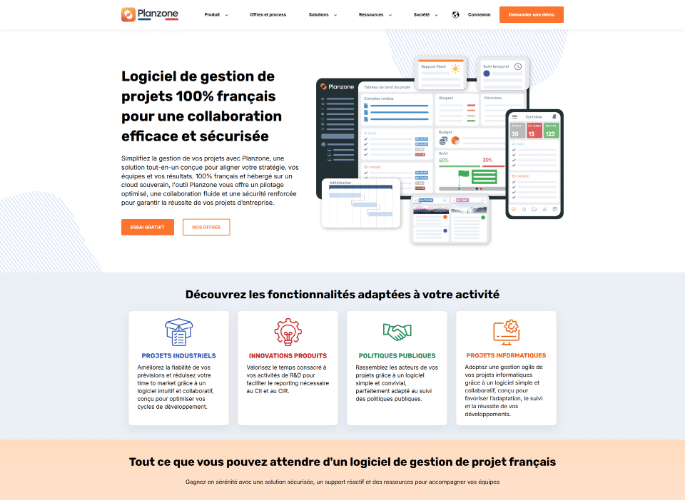
Planzone is published by the French company Augeo Software (an expert since 1991). Data is hosted in France by OVHcloud , support is also based in France, and it claims to be GDPR compliant. Its distinguishing feature is its meticulous budget tracking, down to earned value, presented with the necessary rigor regarding the scope of its security commitments.
What are the key features of Planzone?
- Budget allocated, budget consumed and variances
- Human cost of the project calculated by tariff profile
- Budget overrun alerts
- Reporting on the research tax credit and the innovation tax credit
- Skills-based allocation and activity report (CRA)
What limitations should be anticipated before adopting Planzone?
- Full access to features : Unlike other solutions that lock certain options depending on the chosen plan, Planzone does not apply functional segmentation by tiers. All features are accessible from the first user, with pricing depending solely on team size: €30 per user/month for 5 to 10 users, €25 for 11 to 50 users, €20 for 51 to 100 users, and then by quote.
- Designed for internal projects, not for outsourced services : skills-based allocation, activity reports, and project ROI exist, but in the August 2026 statement, no page mentions margin per assignment, client billing, or any other aspect. resource planning linked to business opportunities.
For whom? Information systems departments, industrial management, R&D, and local authorities. Not for a consulting firm that sells time.
Which Project Monitoring Software To Choose According To Your Industry?
Six sectors, six different answers. Consulting seeks the resource planning and the margin per mission, the agencies' profitability per client, the IT Services Inter-contract periods, architectural firms, phased monitoring, construction, and site management. Each section below names the reference tool and its alternatives.
Best Project Tracking Software for Consulting
Comparison of tools for consulting
| Stafiz | Consulting firms with 20 to 500 employees | Yes, with a project completion forecast | Yes, margin at date and termination | Yes, as soon as the business opportunity arises. | Broad coverage that requires an implementation framework |
| Teambook | Firms whose primary focus is workload planning | Tasks and milestones, without percentage of progress | No, only billable hours | Yes, simulated medium-term capacity | No budget per project, no margin, no invoicing |
| Planview | Multi-entity organizations with a PMO | Yes, on a portfolio scale | Yes, revenue and margin forecasting | Yes, capacity and utilization rate | A suite of distinct products, therefore a deployment project |
Consulting firms must optimize the resource planning and profitability on a variety of assignments: on a time-owned, fixed-price basis or spread over several clients.
💻 Needs of consulting firms
- Follow-up of the resource planning (load, availability, forecasts, intercontract).
- Follow-up of the planned vs realized (time, expenses, deliverables).
- Financial management and profitability : margins, invoicing, cash flow.
- Multi-project reporting (per consultant, per BU [business unit], per client).
- Granularity of time entry adapted to the advice: half-day, day or week, depending on the sales method.
For an accurate view of profitability, if you staff a project with freelancers, they must be integrated as an internal resource. Equip yourself with a project tracking tool like Stafiz or Synergist that allows you to:
- Create "external" profiles with a specific cost price,
- Include these profiles in the workload plans,
- Automatically calculate their impact on the project margin in real time, without manual reprocessing.
These two solutions are suitable for both agencies and consulting firms that employ consultants.
If your subcontractors are not on the same site, or your consultants work on a time and materials basis, look for a tracking tool that allows time entry accessible from a mobile device: Everwin SX and Boond each offer an application for entering time, expenses and absences on smartphones, with Everwin SX adding offline entry to Excel which is then synchronized.
The other key issue is ensuring these hours are factored into the profit margin calculation: at Stafiz, subcontractors and freelancers are included in the workload plan and profit margin calculation just like internal teams. Schedule validation of the timesheet by the project manager (and the client) to guarantee the accuracy of the recorded hours.
Here are two alternatives to Stafiz in the consulting and service company market.
Teambook, capacity planning for consulting firms
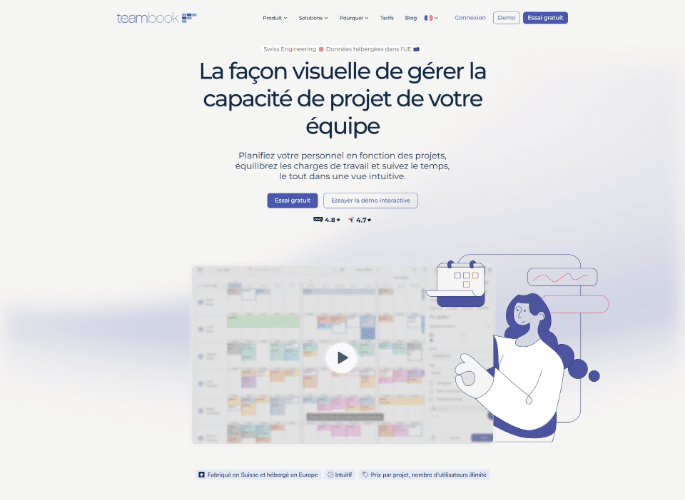
Teambook, a Swiss software company, schedules consultants by client project and tracks billable hours in a single view. It primarily targets agencies, consulting firms, engineering companies, and IT teams. The interface is available in French, support is provided in French, and data is hosted in Europe.
What are the key features of Teambook?
- Consultant scheduling by client project
- Unique view of the team's capacity
- Distinction between billable time (Billable) and inter-contract time (Bench)
- Free labeling of employees, teams and departments
- One-click timesheets
- Medium-term capacity forecast
What advantages does Teambook offer to consulting firms?
- Location and sovereignty : Unlike several tools in this comparison, the interface is available in French, support is French-speaking and data hosting is provided in Europe.
- Immediate readout of availability : a single screen shows who is working on what, who has capacity and who is overloaded, with reassignment by drag and drop.
- Long-term capacity simulation : projection helps decide between making a new commitment and recruiting.
- Employee tagging : consultants tag themselves by tags, teams and departments, which allows for filtering the schedule.
- Employee tagging : consultants tag each other by tags, teams and departments.
- Cost independent of staff : billing is done per project, with an unlimited number of users, a model that changes the calculation for structures with a large workforce.
What limitations should be anticipated before adopting Teambook?
- No budget per project : in August 2026, financial consumption and margin at completion do not appear on any page of the editor.
- No native invoicing : the tool provides accurate data for invoicing (hours, amounts), but does not edit the invoices themselves (QuickBooks integration available).
- Project progress summary : tasks and project milestones exist and are reflected in the schedule and timesheet, but no page displays the percentage of progress or tracks deliverables. Managing remaining work requires a separate tool.
- Limited filtering and labeling of the schedule , due to the lack of a skills framework or certifications.
What are the use cases for Teambook?
- Suitable for firms whose primary focus is workload planning : capacity can be managed without an integration project.
- Suitable for structures that want to measure their usage rate : the distinction between billable and inter-contract is native.
- Poorly suited to profitability management : no budget, no margin, no landing.
- Not well suited to organizations seeking a single repository : Teambook adds to an existing one, it does not replace it.
What size and type of company is Teambook aimed at?
- Size : The publisher does not provide a range. The project-based model is particularly suitable for large teams working on a small number of simultaneous tasks.
- Target sectors : agencies, consulting firms, engineering and construction, IT services.
- Organizational maturity : structures that move away from spreadsheets for planning and accept to handle finance in another tool.
Planview, portfolio management for multi-entity organizations
Planview targets professional services organizations with established project management teams. The American company markets a suite of distinct products rather than a single software package.
What are the key features of Planview?
- Automation of the quote-to-payment cycle
- Capacity and utilization rate forecast
- AI-assisted project assignment
- Early detection of delivery risks
- Revenue and margin forecast
- Strategic portfolio management
- Over 60 integrations (Jira, Azure DevOps, ServiceNow)
What advantages does Planview offer to service companies?
- Consolidated portfolio view : projects from several business units are compared on the same indicators, which helps with prioritization decisions at the group level.
- Real-time capacity forecasting : the utilization rate is projected before signing, which limits commitments made without available resources.
- Early detection of delivery deviations : the tool flags risks before they result in billable delays.
- Billing independent of the delivery model : the suite allows billing regardless of the delivery model (fixed price, time and materials, recurring), within the same system as the pipeline, resources, and delivery.
- Integration ecosystem : the suite connects to existing technical tools, with a network of integration partners.
What limitations should be anticipated before adopting Planview?
- Suite of products, not a single product : the exact scope depends on the modules selected, which makes comparison with an integrated platform difficult to establish.
- Long deployment project : sizing requires a project office and a team dedicated to configuration.
What are the use cases for Planview?
- Suitable for multi-entity groups : portfolio consolidation goes beyond what mid-segment platforms offer.
- Suitable for organizations with a project office : the indicators correspond to their mandate.
- Not well suited to structures without formalized project governance : the suite's structure exceeds the need.
- Not well suited to structures without a dedicated deployment team : configuration requires an internal resource.
What size and profile of companies does Planview target?
- Size : large organizations and groups, no range published by the publisher.
- Target sectors : professional services, software engineering, research and development, transformation, finance.
- Organizational maturity : companies whose project governance is formalized, with a project office and established prioritization processes.
Planview is not sold as a single software application but as a suite. Three components support project tracking: Planview PSA covers professional services, Planview AdaptiveWork handles project execution, and Planview Portfolios manages portfolios. The exact scope is defined during the pre-sales process.
➡️ Alternative tools focusing solely on resource planning : Napta (formerly PickYourSkills), Whoz.
Best Project Tracking Software for Agencies
Comparison of tools for agencies
| Adobe Workfront | Marketing departments equipped with Adobe tools | Yes, requests, tasks, and approvals | No | Yes, capacity and allocation by skill | Focused on marketing, not very relevant outside the Adobe ecosystem |
| Synergist | Consulting agencies and firms | Yes, planning and monitoring | Yes, margins per client and per project | Yes, load plan and capacity | Options for low-level offers, interface in English |
Agencies have to juggle multiple clients, campaigns with tight deadlines , and creative production that generates a lot of back and forth. They must keep control of budgets and margins without getting bogged down in administration.
💻 Needs
- Track budgets by campaign and by customer.
- Management of creative tasks and deliverables (versions, approval, deadlines).
- Invoicing and follow-up of quotes vs. realized.
- Visibility into customer profitability and team occupancy rates.
Overservicing (exceeding the agreed-upon time) must be managed with alerts based on project resource consumption thresholds. If a project reaches 80% of its allocated time or budget, the project manager must receive an immediate alert to readjust the scope or negotiate an amendment before the final margin is eroded. Equip yourself with monitoring tools like Stafiz, Synergist, or Accelo, which can automatically alert you to underbilling, overservicing, or other risks before they result in billable delays.
Here are our alternatives to Stafiz in terms of project tracking tools suitable for agencies.
Adobe Workfront, marketing execution within the Adobe ecosystem
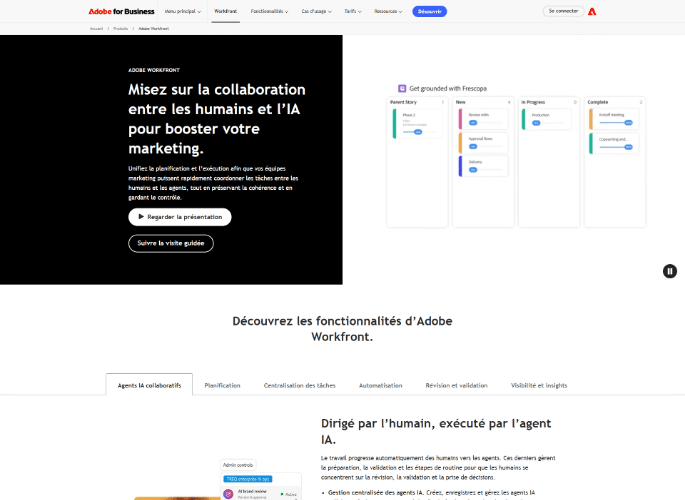
Adobe Workfront is an American product backed by the Adobe suite. It centralizes content requests, revisions and approvals, and now integrates artificial intelligence agents into campaign planning.
What are the key features of Adobe Workfront?
- Tracking requests, tasks, and creative deliverables
- Centralized revisions, validations, and customer feedback
- Campaign planning and artificial intelligence agents
What limitations should be anticipated before adopting Adobe Workfront?
- Positioned marketing first : the publisher presents the tracking tool as a benchmark for marketing and highlights AI, even though it continues to describe it as a cross-functional project management tool.
- Maximum benefit within the Adobe ecosystem : integrations with Experience Manager, Frame.io and Creative Cloud.
For whom? Marketing departments and large agencies already equipped with Adobe tools. Not for a service company that bills for projects.
Synergist, the English-style management of agencies and firms
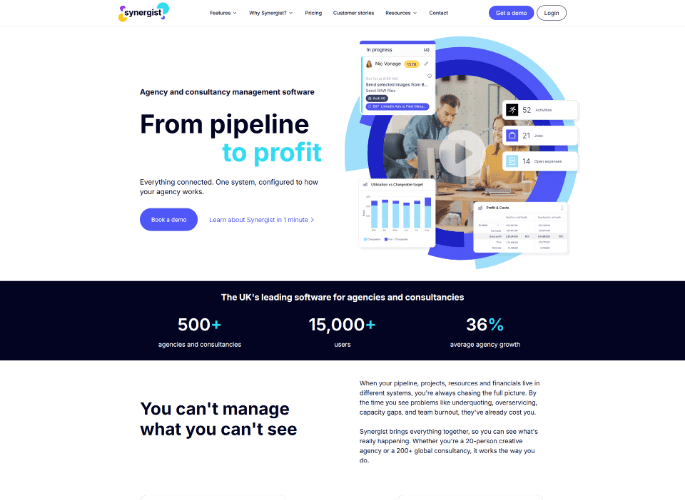
This British software targets profitability-oriented agencies . It tracks variances between quotes and actual results , occupancy rates , and generates financial reports by client and employee . The publisher presents itself as a solution that can be applied across both sectors.
What are the key features of Synergist?
- Financial and margin monitoring by client/project.
- Multi-project agency management.
- Employee efficiency reports.
What advantages does Synergist offer to agencies and firms?
- Continuity of quote at the margin : The platform allows you to track project budgets in real time and automatically alert you in case of underbilling or overservicing (unbilled over-service), thus avoiding margin erosion.
- Profitability per client and per employee : Dashboards combine data in detail to analyze performance. You can precisely identify which clients, projects, or services generate value and which ones negatively impact your profitability. Monitoring recovery rates ensures that each account meets your margin targets.
- Capacity planning and business commitments : The tool allows you to forecast capacity over multiple time scales (days, weeks, months). You can model the impact of new projects before even signing them and adjust your recruitment or subcontracting needs based on the probability of winning.
- Cross-functional coverage (Agencies & Consulting) : Designed as a comprehensive business solution, Synergist adapts its functionalities to both agencies and consulting firms (specific management of consultant profiles).
- Purchasing and subcontracting management : The solution natively integrates a module for managing purchases and booking freelancers (subcontracting), allowing you to include external costs directly in the calculation of your operating margins.
What limitations should be anticipated before adopting Synergist?
- Options on lower offer levels : some features are only available in higher tiers, which the publisher documents on its offer comparison page.
- Interface and support in English : no French version found.
- Difference with the French language and business models of French IT Services : daily rates per role and occupancy rates per person and per project exist but are named differently. The concepts of inter-contract and billable utilization rate are not found in the tool, and nothing is planned for time and materials billing.
What are the use cases for Synergist?
- Adapted for profitability-oriented agencies : the gap between quote and actual results constitutes its entry point.
- Adapted for English-speaking consulting firms : the functional coverage corresponds to that of a professional services platform.
- Poorly suited to French IT Services : the vocabulary and business objects of resource planning in the control room.
- Not well suited to organizations that want a tool in French : no localized interface or support.
What size and profile of companies does Synergist target?
- Size : Consulting structures and agencies already organized around monitoring their profitability per client, from 20 to more than 200 people, according to the publisher.
- Target sectors : communication, advertising and marketing agencies, consulting firms.
- Organizational maturity : structures that already track their profitability per customer and seek to eliminate intermediate spreadsheets between quotes, time and invoices.
➡️ Alternative tools : Furious Squad, Workamajig, Stafiz.
Best project tracking software for IT Services publishers and professional services
Comparison of tools for the IT Services publishers and professional services
| Jira | Technical production teams | Yes, sprints, dependencies, and tickets | No | No | No billable time, no margin per case |
| Stafiz | IT Services and firms with 20 to 500 employees | Yes, with a project completion forecast | Yes, margin at date and termination | Yes, as soon as the business opportunity arises. | Broad coverage that requires an implementation framework |
| Everwin SX | IT Services , consulting firms and research offices | Yes, there's still work to be done and a view to completion | Yes, margins, ADR and CJM | Yes, with monitoring of periods between contracts. | Two ERPs and a CRM are listed in the catalog; scope to be defined during demonstration. |
| Boond | IT Services and consulting firms | No, there is no project section in its solutions. | Yes, real-time margins | Yes, connected to the commercial pipeline | Commercial and financial chain, without progress monitoring |
| Akuiteo | SMEs, mid-sized companies and large service accounts | Yes, there's still work to be done and a view to completion | Yes, with a profit and loss statement per project | Yes, workload plan and final schedule | Complete ERP system, therefore an integration project |
THE IT Services Software development companies must juggle talent sourcing, technical projects, and utilization rate optimization . Their priority: reducing downtime and meeting deadlines without impacting profit margins. Professional services providers (software publishers, integrators, and technology consulting firms) share the same challenge, with the added consideration of anticipating recurring revenue: this is why the two categories are now essentially combined.
💻 Needs
- Follow-up of billable utilization rate (activity rate, holidays excluded) and occupancy rate to optimise the inter-contract.
- Support and ticket management.
- Monitoring of on-call duty, overtime and technical support.
- Tracking tasks, deliverables and progress.
- Monitoring of planned versus actual costs per project.
- Resource monitoring in resource planning multi-projects.
- Managing multiple project management methods: primarily time and materials, but also fixed-price contracts, managed services, and subscriptions.
- Monitoring of project margins and cash flow forecasts.
Follow the priority billable utilization rate (Activity Rate Excluding Leave) and the projected availability of profiles in 4-8 weeks. The ideal project tracking software should cross-reference this availability data with your sales pipeline to anticipate the resource planning consultants even before the end of their current assignment. This KPI can be tracked in software such as Stafiz, Everwin SX, or Teambook.
The goal is to eliminate duplicate data entry between the two software programs, and three approaches coexist.
- Akuiteo integrates general, analytical and budgetary accounting as a module of its ERP: there is no interface to maintain, closing and business tracking share the same base.
- Boond uses accounting and payroll connectors, with a documented API.
- Stafiz exports pre-accounting data to your accounting tool, with several revenue recognition methods.
In all cases, verify that the time entered and validated appears in analytical entries ready to be integrated.
Jira, the technical production, extended to business teams
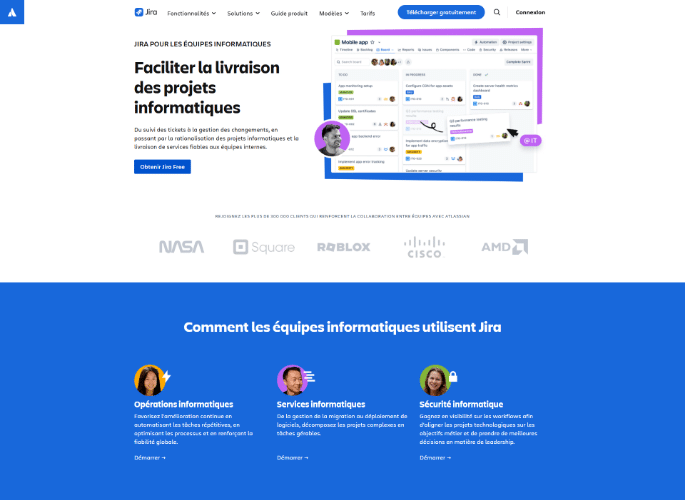
Jira is published by the Australian company Atlassian. The product structures its offering in two parts, planning and monitoring, and the publisher now targets it to business teams as well as developers.
What are the key features of Jira?
- Objectives, work breakdown and assignment
- Progress tracking and dependency management
- Backlog, sprints and ticket management
- Dashboards and alignment between teams
What limitations should be anticipated before adopting Jira?
- Neither billable time nor margin per deal : financial management is outside the native scope. None of the publisher's four pricing tiers (Free, Standard, Premium, Enterprise) mention budgeting, cost tracking, or invoicing features.
- Neither resource management, nor CRM, nor native billing : these features are not included in any of the four tiers and require the use of third-party extensions available on the Atlassian Marketplace.
- Portfolio via a separate product : the portfolio view is provided by Atlassian Align (formerly Jira Align), an application from the Atlassian Strategy Collection, the price of which is not publicly available and requires contacting the sales department.
For whom? Technical production teams and business teams working in a workflow environment. Not for a IT Services who must link their time to their billing.
Stafiz, the ERP designed for IT Services
What are the key features of Stafiz?
- Search engine for profiles by skills, experience or role, CV integrations.
- Meadow-resource planning from the pre-sales stage to feed commercial proposals.
- Management of CRA (activity reports: automatic data entry reminders and forecasting view).
- Real-time profitability tracking by mission, team or client.
- Automated invoicing (preparation of automatic payment reminders).
- Control of invoiced vs. completed production.
- Native integrations & APIs.
Here are 3 other ERPs for IT Services If you are looking for an alternative to Stafiz:
Everwin SX, the long-established ERP for French service companies
For over 30 years, Everwin has been supporting service companies with ERP solutions. Its range of solutions is extensive, covering fourteen sectors including... IT Services Everwin SX caters to companies of all sizes managing their projects on a time and materials or fixed-price basis.
What are the key features of Everwin SX?
- Managed and fixed-price projects
- Planning and resource planning consultants
- Availability and monitoring of inter-contract periods
- Progress, remaining work, and final view
- Recording of time, expenses, and absences
- Billing and rebilling between entities
- Activity rate ( billable utilization rate , TACI), ADR and CJM
- Mobile applications for entering time, expenses and absences on smartphones
- Offline data entry in Excel with subsequent synchronization
- Customer billing, MOP law and price revisions
What advantages does Everwin SX offer to service companies?
- Native termination view : remaining work and budget landing are among the top functions, whereas most ERPs in the segment deal with the administrative side of the business first.
- Monitoring of inter-contract periods : availability and end of assignment appear on the same screen as the schedule, which shortens the time between detecting a gap and repositioning the consultant.
- Variation by profession : the publisher adapts the same functional base by activity, with rules specific to design offices, communication agencies or audit firms.
- Inter-entity rebilling : multi-company groups distribute services without manual reprocessing, including when a consultant bills on behalf of another subsidiary.
- Profitability indicators and business specifics : the activity rate ( billable utilization rate , TACI), the ADR The CJM and CJM are calculated on the same basis as turnover. The tool natively manages the specificities of design offices and public procurement, in particular the MOP Law and price revisions, while offering the flexibility of mobile or offline entry via Excel.
What limitations should be anticipated before adopting Everwin SX?
- resource planning could be improved : Everwin manages scheduling, workload planning, and skills management, but it lacks depth in matching profiles to needs and in committees. resource planning .
- Capacity projection in retreat : the financial termination view is well documented by the publisher (remaining work, budget landing), the simulation of future load is not.
- Two ERPs and one CRM in the catalog : Everwin markets Everwin GX and Everwin SX as two separate ERPs, plus Everwin CXM for sales management. The exact scope of the product being compared is clarified during the demonstration.
- Time to get started : the functional depth requires a budget for configuration and training that a small structure often underestimates when making the choice.
- Pricing not published : no public order of magnitude, which lengthens the qualification phase.
What are the use cases for Everwin SX?
- Adapted for multi-entity IT Services : several subsidiaries, cross-rebilling and consolidation of margins per entity in a single repository.
- Adapted to project management by remaining work : the completion view serves as the basis for monthly project committees.
- Not well suited to a very small structure : the configuration exceeds the needs of a firm that is mainly looking to bill for its time.
- Not well suited for tracking daily tasks : the operational production of teams remains the domain of a dedicated tool.
What size and profile of companies is Everwin SX aimed at?
- Optimal size : VSEs, SMEs and medium-sized to large companies, according to the publisher, who does not publish a numerical range.
- Target sectors : IT Services and IT services companies, consulting firms, design and engineering offices, communication agencies, publishers and integrators, chartered accountants.
- Organizational maturity : multi-entity or multi-activity structures that have moved beyond spreadsheet-based management and are seeking a common reference point for sales, operational and financial teams.
Boond, the ERP for the commercial and administrative chain of IT Services
According to Boond (formerly BoondManager) four IT Services One in ten would be equipped with its solution. The French publisher covers the invoice candidate cycle for digital service companies, consulting firms and engineering companies.
What are Boond's key features?
- AI-assisted profile matching
- Automatically generated skills portfolios
- Enter time, expenses and absences on mobile
- Electronic invoicing in Factur-X and CII formats
- Accounting and payroll connectors, documented API
- Integrated CRM and applicant tracking
- Real-time margins and financial indicators
What advantages does Boond bring to IT Services ?
- Continuity from sourcing to payment collection : automation of the entire process, from service detection to bank reconciliation.
- Batch invoicing and electronic compliance : generation of monthly invoices in a single batch with control view and compliance with Factur-X and CII standards.
- Verification of reports before invoicing : smooth workflow to ensure reliable invoicing and payroll before issuance.
- Technical openness : Fully documented API with developer area and sandbox.
- Security and hosting : ISO 27001 certification, GDPR compliance and European servers.
What limitations should be anticipated before adopting Boond?
- No project section : the publisher only offers Business, Recruitment & HR, Finance, and Operations & IT solutions.
- A necessary addition on the production and operational side : nothing is provided regarding Remaining Work (RW) or budget forecasts per project. Teams managing projects on a fixed-price basis will need to integrate Boond with a project progress tracking tool.
- Dual-rate model : billing differentiates between managers and consultants. For example, the Core offer is billed at €59 excluding VAT per month per manager + €4 excluding VAT per month per consultant. The Business offer (CRM + ATS only) is €89 excluding VAT per month per manager.
What are the use cases for Boond?
- Adapted to IT Services on a managed basis : the consultant's tracking, from positioning to invoicing, corresponds exactly to their cycle.
- Suitable for organizations that recruit a lot : CRM and applicant tracking share the same database.
- Not well suited to managing complex fixed-price projects : without progress tracking, the remaining work is calculated elsewhere.
- Not well suited to firms that primarily seek profitability per assignment : the margin is displayed, but not the landing.
What size and profile of companies does Boond target?
- Size : the publisher claims to accompany the IT Services from 1 to 1000 employees.
- Target sectors : IT Services IT services companies, consulting firms, engineering companies.
- Organizational maturity : companies whose primary difficulty lies in the volume of billing and the flow of recruitment rather than in the complexity of projects.
Akuiteo, the business management ERP with native accounting
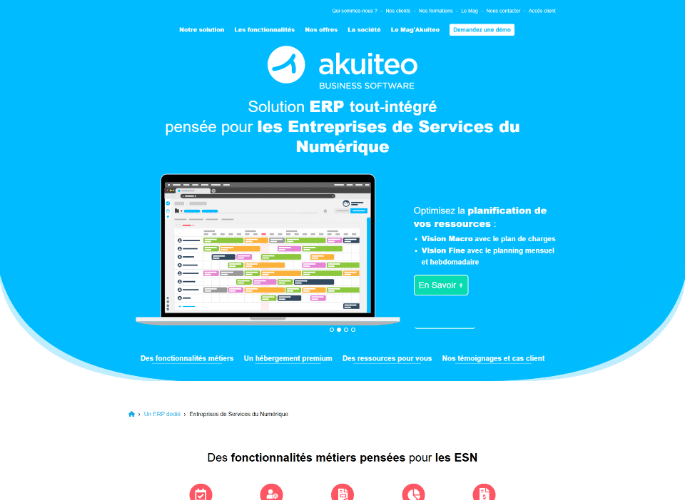
Akuiteo, a French software publisher, targets SMEs, mid-sized companies, and large service providers. Its industry-specific offerings cover six sectors: software publishers and integrators, audit and consulting firms, engineering and design offices, accounting firms, architectural firms, and... IT Services .
What are Akuiteo's key features?
- Business-based management across five levels of breakdown
- Planning and workload management per employee
- Profitability per mission, margin at completion, remaining work
- Profit and loss statement per case
- Billing can be based on a fixed price, per service, or time and materials basis.
- Integrated general, analytical and budgetary accounting
- Multi-company and multi-currency management
What advantages does Akuiteo bring to service companies?
- The case as the central element : Client projects, internal projects, and overhead costs are structured along the same analytical axes. The case is the central hub of the management system, with a possible breakdown into five levels.
- Comprehensive financial vocabulary : The solution natively integrates key indicators such as margin at completion, remaining work, profit and loss statement per project and production value.
- Accounting within the product : Accounting (general, budgetary and analytical) is natively integrated, allowing direct continuity between project management and accounting statements.
- Multi-company and multi-currency : Native management of multi-company and multi-currency environments for groups, with configurable analytical axes.
- Planning by employee : Planning and workload plan by employee, with detailed visibility by weekly schedule.
What limitations should be anticipated before adopting Akuiteo?
- The accounting depth requires a configuration project carried out with the finance teams: you must plan a real integration project rather than a simple commissioning.
- The density of the interface is a limitation noted by customer reviews: the tool can lack accessibility, contrary to the publisher who describes its interfaces as ergonomic and intuitive.
- resource planning less in-depth according to field feedback: the firms we meet in tenders describe at Akuiteo a less equipped allocation of profiles than in solutions dedicated to workload planning: no automated matching profile/need, no allocation scenarios.
- Financial forecast: the margin at completion and the remaining work are documented by the publisher; according to field feedback, the cash flow projection and the forecast of future sales remain less well-equipped.
What are the use cases for Akuiteo?
- Suitable for structures that want integrated accounting : closing and tracking of business share the same basis.
- Suitable for multi-entity and multi-currency groups : consolidation does not require a third-party tool.
- Not well suited to a small practice : the ratio between coverage and need becomes unfavorable.
- Not well suited to organizations that are primarily looking for a resource planning tool : skills-based allocation is not its entry point.
What size and profile of companies does Akuiteo target?
- Size : SMEs, mid-sized companies and large accounts, according to the publisher.
- Target sectors : software publishers and integrators, audit and consulting firms, design offices and engineering companies, accounting firms, architectural firms, IT Services .
- Organizational maturity : structures where the financial management has a significant influence on the choice of tool, with requirements for closing and regulatory reporting.
➡️ Alternative tools : Fitnet Manager, VSActivity.
➡️ For a complete overview of ERP systems dedicated to IT Services See our comparison of the best ERP software for IT Services .
Best Project Tracking Software for Architectural Firms
Comparison of tools for architectural firms
| BQE Core | Architecture and engineering firms | Yes, by project | Yes, by project, client, and collaborator. | Yes | American product without French localization |
| Everwin SX | French-speaking architectural firms | Yes, there's still work to be done and a view to completion | Yes, margins, ADR and CJM | Yes, with monitoring of periods between contracts. | Several ERP systems are available in the catalog; the scope will be specified during the demonstration. |
Architectural firms manage long and phased projects (design, studies, construction sites) where each milestone has an impact on the budget and schedule.
💻 Needs
- Monitoring of the project phases (design, studies, construction site).
- Monitoring of budgets and progress by phase.
- Tracking billable vs. non-billable hours.
- Financial management and margins per client/project.
BQE Core, firm management for architecture and engineering
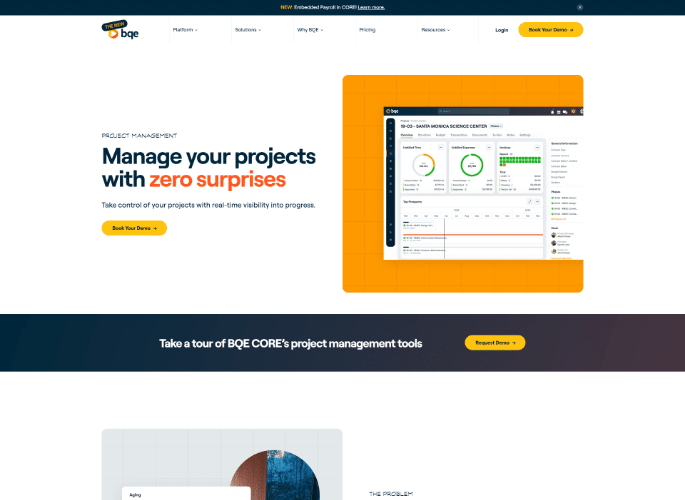
The American company BQE publishes Core, an all-in-one platform for managing architecture, engineering, and consulting firms. It natively covers the entire firm cycle, from time tracking to payment collection, including general ledger accounting, CRM, payroll management, and integrated invoicing.
What are the key features of BQE Core?
- Tracking of time, budgets and resources per project
- Integrated billing and collection
- Profitability per project, per client, and per employee
- Arbitration between billable and non-billable hours
What limitations should be anticipated before adopting BQE Core?
- No French localization : in August 2026 we found no language selector or French page on the publisher's website.
For whom? Architectural and engineering firms that bill by the hour and follow their phases. Not for a general contractor managing a construction site.
Everwin SX also caters to architectural firms
As presented above in the IT projects section and IT Services This SaaS platform dedicates a page to them in its industry-specific version. It's worth considering for a construction company that manages its projects on a time and materials or fixed-price basis and is looking for a French-language tool.
➡️ Alternative tools : Monograph, Deltek.
Best Project Tracking Software for Field Industries
Comparison of tools for field industries
| Procore | General contractors, specialized contractors and project owners | Yes, from DCE to GPA | Yes, construction cost management | Yes, construction site resources | Dedicated to construction, not transferable |
| Archdesk | Contractors and specialized state bodies | Yes, from the estimate to the final balance | Yes, cost control and finance | Yes, construction site operations | Positioned in construction, despite its name |
| Octave Sequence Enterprise | Engineering and infrastructure, very large projects | Yes, earned value and performance | Yes, CAPEX and OPEX budgets | Yes, estimation and planning | Recent change of name and publisher |
In construction and industry, projects (construction sites, factories, pipelines, etc.) are complex, with many milestones, many regulatory constraints and significant CAPEX/OPEX budgets.
💻 Needs
- Follow-up of milestones and field deliverables.
- Quality monitoring and compliance (controls, audits).
- CAPEX/OPEX cost and budget monitoring.
- Mobile collaboration for on-site teams.
Procore, the construction platform, from the tender documents to the final acceptance of works
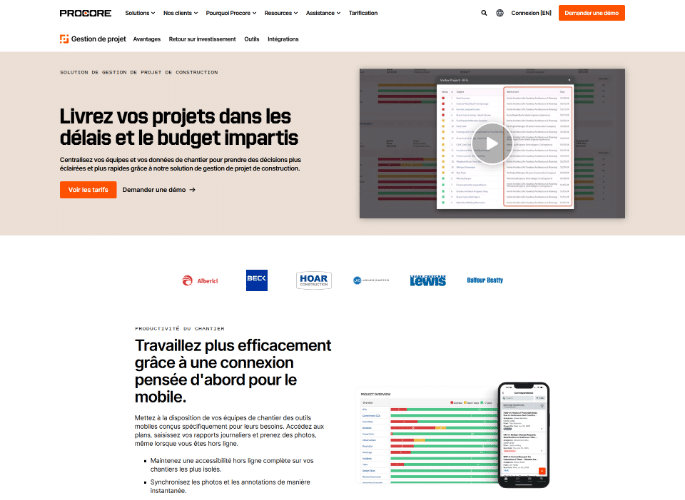
Procore is a publicly traded American software company whose platform is specifically designed for the construction and development industry. Unlike many Anglo-Saxon players such as Productive.io, Synergist, BQE Core, or Accelo, which remain limited to an English interface, Procore offers a fully localized French experience. This linguistic maturity is reflected in the native support for critical industry terminology such as DCE (Dossier de Consultation des Entreprises - Tender Documents), the lifting of reservations , and GPA (Garantie de Parfait Achèvement - Guarantee of Perfect Completion).
What are the key features of Procore?
- Managing the consultation process through to the final completion guarantee
- Construction site cost and resource management
- Problem detection before the amended service order
- Mobile collaboration between the office and the field
What limitations should be anticipated before adopting Procore?
- Dedicated to construction : outside of this sector, the vocabulary and objects of the trade do not transpose.
For whom? General contractors, specialized tradespeople, and project owners. Not for a service company that sells intellectual time.
Octave Sequence Enterprise, cost control for very large projects
Formerly EcoSys, this product is published by Octave, an independent company that spun off from Hexagon and became independent in 2025. It focuses on cost control and earned value on large-scale investment programs.
What are the key features of Octave Sequence Enterprise?
- Control of costs and investment budgets
- Earned value and performance management
- Planning, scheduling and estimating large projects
- Program Portfolio Management
What limitations should be anticipated before adopting Octave Sequence Enterprise?
- A recent brand on an old product : EcoSys became Octave Sequence following the split of Hexagon in 2025. The new group claims 7,000 employees and 14,000 customers, but contractual continuity and the affiliation of support still need to be clarified before signing.
- Designed for very large projects : configuration requires trained administrators, which confirms its positioning with large organizations.
For whom? Engineering and infrastructure: refineries, pipelines, power plants, major public programs. Not for a firm or agency.
Archdesk, construction management for contractors
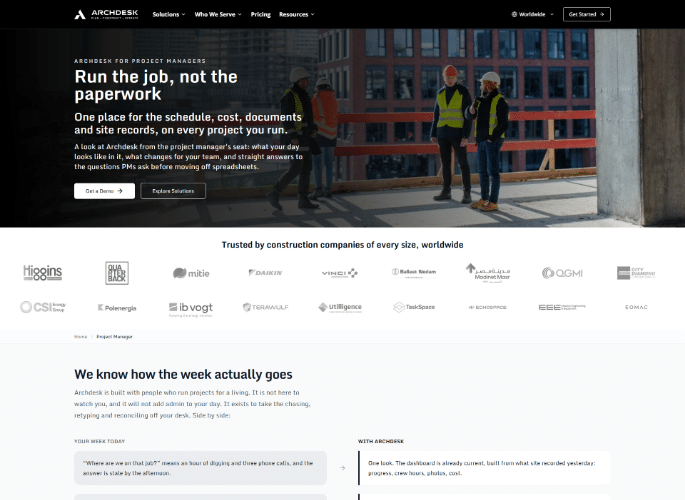
Archdesk is a European software company founded in 2015, with offices in London, Krakow, and Dubai. Its modular platform covers the entire construction process from initial estimation to final payment, with cost control and supply chain management at its core.
What are the key features of Archdesk?
- Complete cycle, from estimation to site handover
- Control of material, labor, and subcontractor costs
- Purchasing and supply chain
- Site surveys, documents and plans centralized
What limitations should be anticipated before adopting Archdesk?
- Positioned for construction, not architecture : despite its name, it is not a tool for architects' offices.
For whom? General contractors, specialized tradespeople, project owners, energy and infrastructure. Not for a firm that sells studies.
➡️ Alternative tools : Autodesk Construction Cloud, Fieldwire, Aconex.
How to choose a project tracking tool?
The right tool depends primarily on your priorities: workload, progress, finances, collaboration, or organizational complexity . Rather than choosing the most "complete" option on paper, it's essential to identify the features that will directly impact your margins and efficiency.
Do you need to manage, track, or direct your projects?
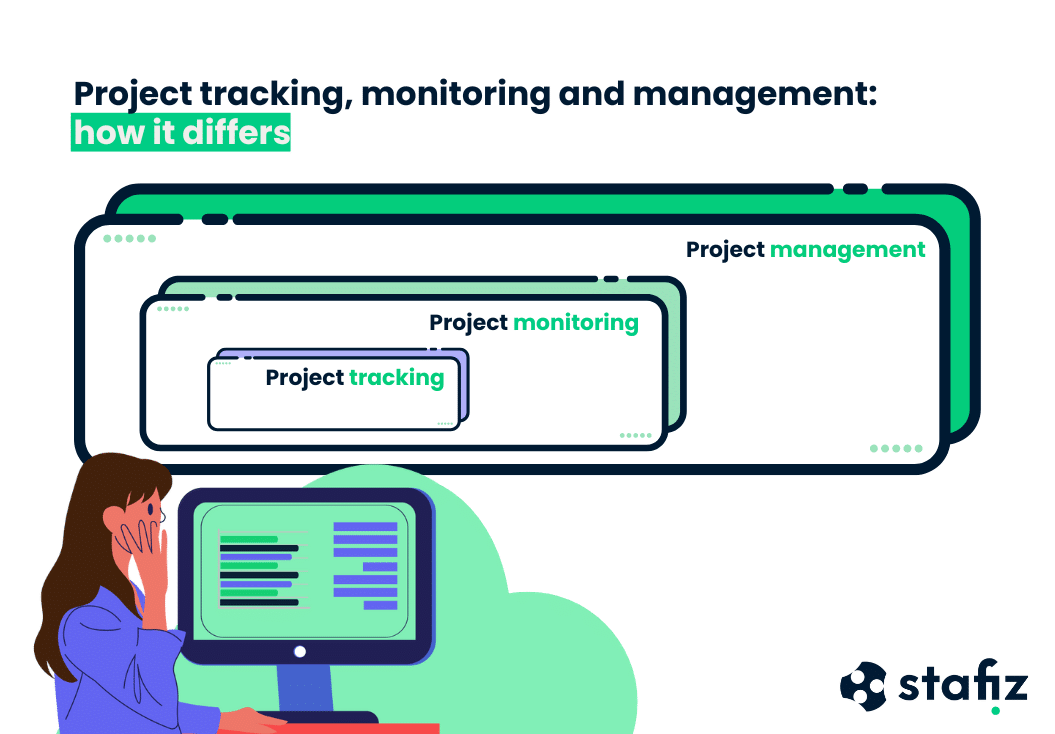
These three terms are often used interchangeably, and this is the first source of error when choosing a tool because they do not cover the same scope.
- Project management involves a strategic vision, responding to decision-making challenges.
- Project management focuses on the operational aspects of the project, with a more limited strategic vision. It essentially involves day-to-day monitoring of production.
- Project monitoring involves collecting data that will be used for decision-making. Focused on ongoing activities, project monitoring must be continuous and regular.
To learn more about this distinction, consult our project monitoring guide .
Prioritize your goals to choose the right tool
Three objectives can be pursued in project management: organization, profitability, and communication. They all matter to a team working in project mode, but the order of priority differs from one structure to another.
- Organization is a key objective of project monitoring. It is necessary to be able to assign tasks to the different stakeholders, and to track which tasks have been completed as well as those that remain to be done.
- Profitability and project management are important even when a project isn't sold. There are always costs associated with a project, and time spent often represents the largest expense. It must remain aligned with the initial objectives; otherwise, profitability will suffer. If the project is sold, this objective is closely monitored, and the various types of costs are tracked.
- Communication facilitates interactions between project stakeholders, including clients and subcontractors. This is a major challenge in project management.
Most tracking tools can achieve all three objectives, but each has its own specialty. For organization, a task management tool is sufficient. For project management, including tracking time spent and costs against budget, a project tracking tool is necessary. For communication, a shared planning tool will do the job.
Here are the key criteria to look at.
Features related to load management
Project load tracking software ensures that projects have the right resources at the right time.
Features to look for
- Difference between the planned and actual workload.
- Adjustments during the project to avoid overloads.
- Optimization of the billable utilization rate and occupancy rate monitoring.
- Management of evolving availability (taking into account CRM opportunities, new projects, absences).
Monitoring the progress of the project
Project progress monitoring software is essential to reassure customers, validate key steps and avoid deviations.
Features to look for
- Follow-up of assigned and completed tasks.
- Calculation of the overall percentage of progress.
- Follow-up of deliverables with customer validation.
- Meeting deadlines and managing milestones.
- Be able to create and assign tasks and subtasks in the project.
- to be able to determine a time target or deadline for these tasks;
- Be able to create a detailed brief of the task.
- to understand the connections between tasks in order to identify bottlenecks;
- to be able to differentiate between types of tasks: monitoring points, one-off actions, scheduled or completed tasks.
Financial monitoring of the project
Financial management ensures that the budget is respected, avoids project deviations and remains profitable.
A completed project does not necessarily equate to success. The project must also have been completed within the initially planned budget .
Good management allows for the recording of the various costs on projects (time spent internally, subcontracting purchases, expenses, product purchases, etc.) and for indicating to managers well in advance if the project is at risk of exceeding the budget .
Features to look for
- Cost tracking (internal and external).
- Expense management (purchasing, subcontracting, travel).
- Forecast to anticipate the risks of budget deviation.
- Cashflow vision: margins, invoicing, cash flow.
- Be able to track time spent on projects and tasks and calculate associated costs.
- be able to report non-rebillable expenses (such as travel expenses);
- be able to track the products sold (if any) and the associated costs;
- know the margin at date and end by calculating the remaining amount to be done;
- be informed in the event of an overrun of the budget;
- to monitor the value of realized and future production;
- be able to invoice projects;
- Be able to track project KPIs.
If your project tracking software allows you to perform these various actions, then you will be able to better monitor project performance. You will also be able to identify projects that are deviating from their budget early enough, and you can make adjustments to improve your profit margin.

For a more in-depth analysis, discover our ebook on project financial management.
Collaborative features
On the collaboration side, some features are taken for granted. However, not all tools are equal from a collaborative point of view.
Features to look for
- Management of access rights and visibility levels;
- Centralized sharing of key information;
- Resource allocation and reallocation;
- Multi-project management and PPM (project portfolio management);
- Comments, mentions, and notifications.
- to be able to create workflows and notifications between people on the project;
- to be able to create rights and boundaries to track the progress of your teams securely.
- to be able to give secure access to subcontractors.
Needs according to organizational complexity
The more complex the organization of a project, the more advanced structuring and consolidation functions the monitoring tool must integrate.
Features to look for
- Hierarchical management: programs, projects and sub-projects.
- Data segmentation and consolidation.
- Time recording (with adapted granularity).
- Breakdown and reallocation of turnover by BU or team.
For portfolio management (PPM) analysis, prioritize tools with consolidated reporting modules. These allow you to cross-reference indicators from multiple business units to prioritize investments and optimize resource allocation across the group.
What is the positioning of the software provider?
Beyond the product's capabilities to improve planning, performance monitoring, organization, and communication, there are other topics to consider when making your choice.
Choose software that protects user data
Choose a software publisher that is not afraid to be transparent about how user data is processed.
To protect your data and that of your employees, here are a series of questions to learn about.
- Where is your data hosted? Make sure the hosting complies with your internal policy.
- What is your security policy? Every software publisher must prove to you that they have taken the necessary measures to ensure the security of your data.
- How do you handle personal data? The publisher must also demonstrate transparency regarding personal data, which is legally governed by current legislation.
- Who can access your environment? The publisher must also have an internal policy in place to restrict access to your project data.
Find out about support and services
Support during the deployment of your new tool is also an element that is important to take into account.
To get the most out of a project tracking tool, you need to be able to configure it effectively , import your data, connect it to your existing tools and train users.
Only support from the software publisher's team or an integrator can allow you to fully master the tool. Ask the publishers to explain how their projects work: who is in charge, how much time is spent helping you, and how support and maintenance are handled.
Benchmark project monitoring tools
To choose the right project management tool , it is necessary to specify your expectations on each of the criteria that matter to you.
At this step, you may decide to draw up a complete specification, or simply list the criteria you expect in detail, so that you can validate them in your benchmark phase.
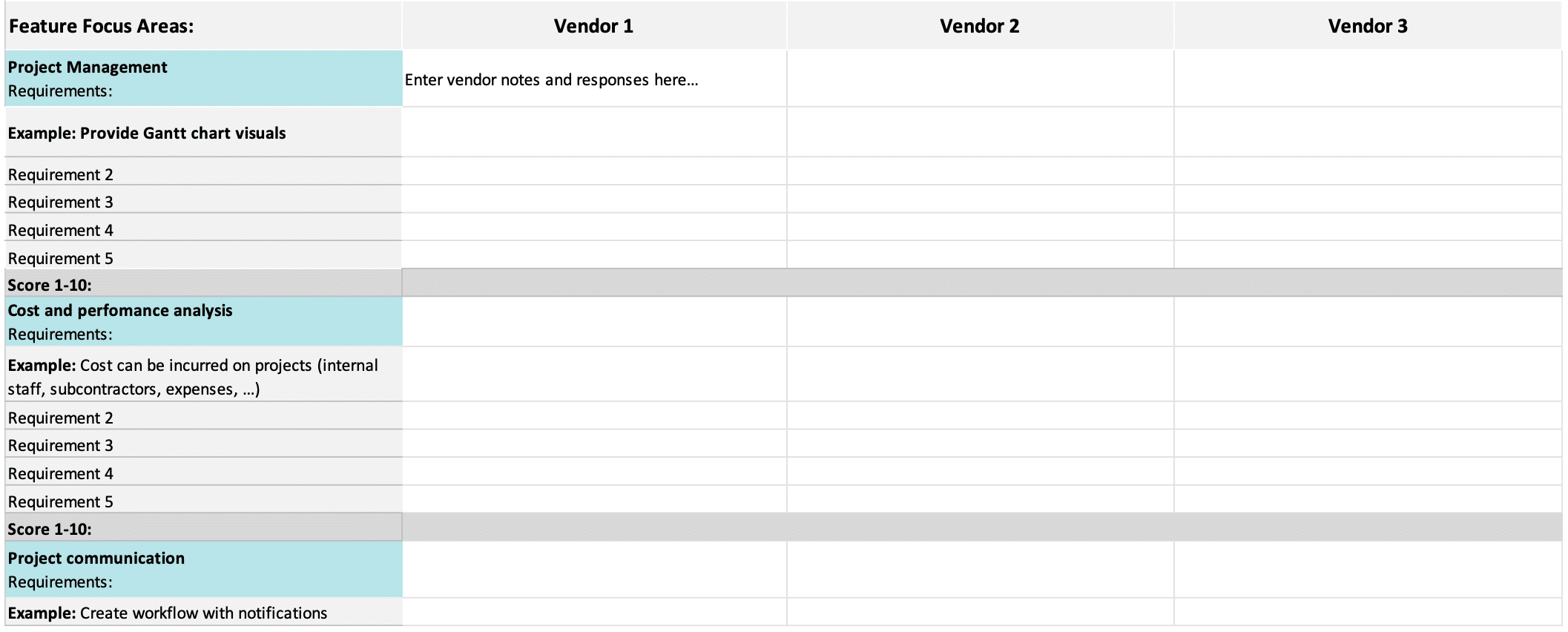
Now that you have listed all the criteria, you can create a file to analyze the answers of each seller.
Depending on the importance, you can give a weight to the answers, to determine an overall score and rank the different solutions.
Take advantage of our example of a benchmark table in Excel!
Depending on the importance of each of the criteria, you can give a weight to the answers, to determine an overall score and rank the different solutions.
Negotiate with the provider of the tracking tool
To secure your purchase, it is important to sign a contract that outlines your usage and the associated fees.
Remember that it is possible to negotiate with the vendors of the solution. You can get discounts, by committing to a certain period of time for example.
Make sure you have confirmed the rates for the duration of the contract, the amount charged for the deployment of the project tracking tool .
Which project management tool to choose in 2026?
Needs vary depending on size, sector, and expected functionalities. A consulting firm does not manage the same challenges as a creative agency or a IT Services Excel and collaborative tools quickly show their limitations: no forecasting vision , no precise financial monitoring , no real-time adjustment of resource planning .
The key is therefore to start from your main need: reduction of the intercontract, respect of deadlines, increased profitability, regulatory compliance... In short: there is no single winner, but a tool tailored to your industry and priorities. The right choice is one that simplifies your processes while improving your profitability and visibility.
Frequently asked questions:
A project monitoring tool goes beyond simple task management: it allows you to control execution, track actual time and expenses, anticipate budget deviations and analyze profitability. It transforms planning into operational and financial management.
Project management software focuses on planning and organizing: defining tasks, assigning resources, structuring the schedule. The project monitoring software then intervenes, during the execution: it controls the actual progress, monitors the expenses, analyzes the margins and ensures that the budget and deadlines are respected.
There are several types of monitoring: load monitoring (occupancy rate, resource planning), progress monitoring (tasks, milestones, deliverables), financial monitoring (costs, margins, cash flow) and quality/compliance monitoring. Depending on the activity, software can cover a single aspect or offer a complete multi-project vision.
Project management software focuses on project execution and control: tasks, workload, margins, deliverables. Professional Services Automation (PSA) software goes further by integrating the complete lifecycle of service companies: CRM, resource planning Billing, financial and forecasting management, often in a single platform.
Project management tools fall into four categories: collaborative tools (Notion, Hive, Freedcamp) for centralizing tasks and documents, with Hive included in its core functionality as its financial features are optional; integrated PSA platforms (Stafiz, Productive.io, Accelo) that connect resource planning Time and billing; agile tools (Jira) for IT development; industry-specific tools (Procore for construction, Workfront for agencies, BQE Core for architecture). The choice depends on your industry and business priorities.
The IT Services and consulting firms need a platform that covers the resource planning, monitoring of the CRAs, profitability by mission and invoicing. Stafiz is designed for these uses:resource planning from pre-sales, optimization of the billable utilization rate, planned vs. real-time monitoring, automated invoicing. Alternatives exist (Productive.io, Accelo, Celoxis) but often have higher prices and are less suitable for the European market.
Essential KPIs combine three components. Operational : rate of progress, compliance with milestones, planned vs. actual variance (time, expenses). Financial : project margin, budget overrun rate, remaining to be done, invoicing vs. collection. Resources : billable utilization rate, occupancy rate, intercontract. To go further, consult our guide to the 12 financial indicators to monitor in project management.
Free tools are suitable for small teams on simple projects: task management and, at Freedcamp, time tracking are included, but Gantt charts, invoicing and financial consolidation are paid options.
Project monitoring focuses on operational execution (tasks completed, time spent, deliverables produced). Project Portfolio Management (PPM) software assists in the selection and... strategic planning of all projects. SPM (Service Portfolio Management) focuses on the management of offers and services, with a more pronounced financial dimension.