Updated on August 3, 2026
A project schedule is a calendar that lists the tasks of a project, their duration, their dependencies, and the milestones that validate them. However, it's essential to measure the gap between what is planned and what is actually accomplished.
The schedule includes dates, but also the people assigned to each phase and the milestones that trigger invoicing. When well-designed, it shows the variance as it develops rather than at the end. Using a project planning tool instead of a shared spreadsheet changes precisely this: moving a date within the tool reflects its effect on consultant workload and the revenue forecast, without requiring re-entry.
The question that most planning methods leave aside remains: how to build a schedule when the resources it involves are shared between several missions, and when each milestone reached determines an invoice.
🔎 Key takeaways about the project timeline
- A schedule comprises eight elements. The first five are common to all models on the market: deliverables, tasks, durations, dates, and dependencies. The last three make the difference in a service company: milestones with validation criteria, assigned personnel with their actual availability, and risks of delays.
- Once validated, the initial schedule becomes the baseline. It is the reference version against which any deviation is quantified. Without it, a delay is observed but not measured.
- A milestone has no duration: it records a state, it does not consume any working days. Plan for 3 to 5 milestones on a simple task, 8 to 12 on a complex project, and link each one to a verifiable deliverable rather than just a date.
- The sales method changes the nature of the payment schedule. With a fixed price, it breaks down a firm price into installments linked to deliverables. With a time and materials contract, it tracks the days actually worked. ADR contractual, with time validation each week.
- In consulting firms and service companies, the schedule brings together three pieces of information that are usually separate: when the work is expected, who performs it, and when it becomes billable. A milestone that is two weeks late therefore costs more than two weeks of delay.
Project Timeline: What is It ?
Definition
💡 Synonym: project timeline
Gantt charts and Kanban boards are used to display a schedule; they don't replace it. The schedule itself is the information: the list of tasks, the duration of each, what needs to be completed by what date, and the resulting deadlines. Switching from a Gantt chart view to a Kanban board changes the display, not the content.
This information is presented at two levels of detail:
- a macro level , limited to the major phases and milestones, i.e. about ten lines, which are presented to the client and to the steering committee;
- a detailed level , which goes down to the task with the name of the person who performs it and their workload in days, and which serves as a working document for the team.
When these two levels exist in two separate files, they diverge from the very first offset.
The first five are included in all models on the market. The last three make all the difference in service companies: without the names of the people involved and their availability, a schedule remains a good intention, but a document that will never be fully adapted to your use case.
How important is the project schedule?
Project schedule provides a view of all the tasks and milestones needed to complete the project, arranged chronologically.
Thus, it offers a complete overview to understand the project as a whole.
Often represented as a Kanban board or Gantt chart, it also allows you to visualize the progress of the project.
A schedule isn't built from scratch. It dates the work done beforehand: task planning , which breaks down the mission into quantifiable work units. Without this breakdown, the dates on the schedule are merely intentions.
Benefits of an Efficient Project Schedule
The schedule offers five distinct benefits: maintaining control over deadlines, making everyone's workload transparent, establishing a baseline against which to measure deviations, aligning stakeholders on the same dates, and triggering billing at milestones. In a service company, the last two benefits are the most impactful on profit margins.
Created at the beginning of the mission, this document evolves throughout its lifecycle. It serves to estimate and anticipate the workload of consultants, and therefore to meet delivery deadlines.
Keep Control over Project Management
All effective project management requires a project timeline because it helps estimate the time and complexity required to produce a project's deliverables.
In addition, the project schedule meets several objectives:
- articulate tasks within the project,
- facilitate resource management by providing a detailed real-time view,
- analyze the gaps and illustrate the different scenarios,
- anticipate costs and facilitate the management of invoicing schedules,
- meet the deadlines and expectations of the sponsor.
Enhanced Productivity
Project schedule improves visibility and smoothes task management. Each member has a precise vision of current and future tasks and is responsible to alert in case of bottlenecks.
Project schedule defines responsibilities, priorities, and dependencies to avoid bottlenecks or unrealistic demands. In addition, it improves teamwork by defining each member's role.
Project Schedule as Referrence
Once validated, the initial schedule is fixed: it becomes the baseline, the reference version against which any deviation is measured. Without it, a delay is observed but not quantified, due to the lack of a point of comparison. This reference is used twice, during the mission and then afterward.
A Reference During the Project
During the mission, the baseline serves to answer two specific questions: how far behind are we, and on what? Comparing the actual results to the baseline gives the variance in days and budget, task by task, instead of a general feeling of being behind schedule.
This also allows for realistic expectations on both sides. When a client requests an earlier delivery, the reference shows what this delay will cause downstream, and transforms the request into a documented decision.
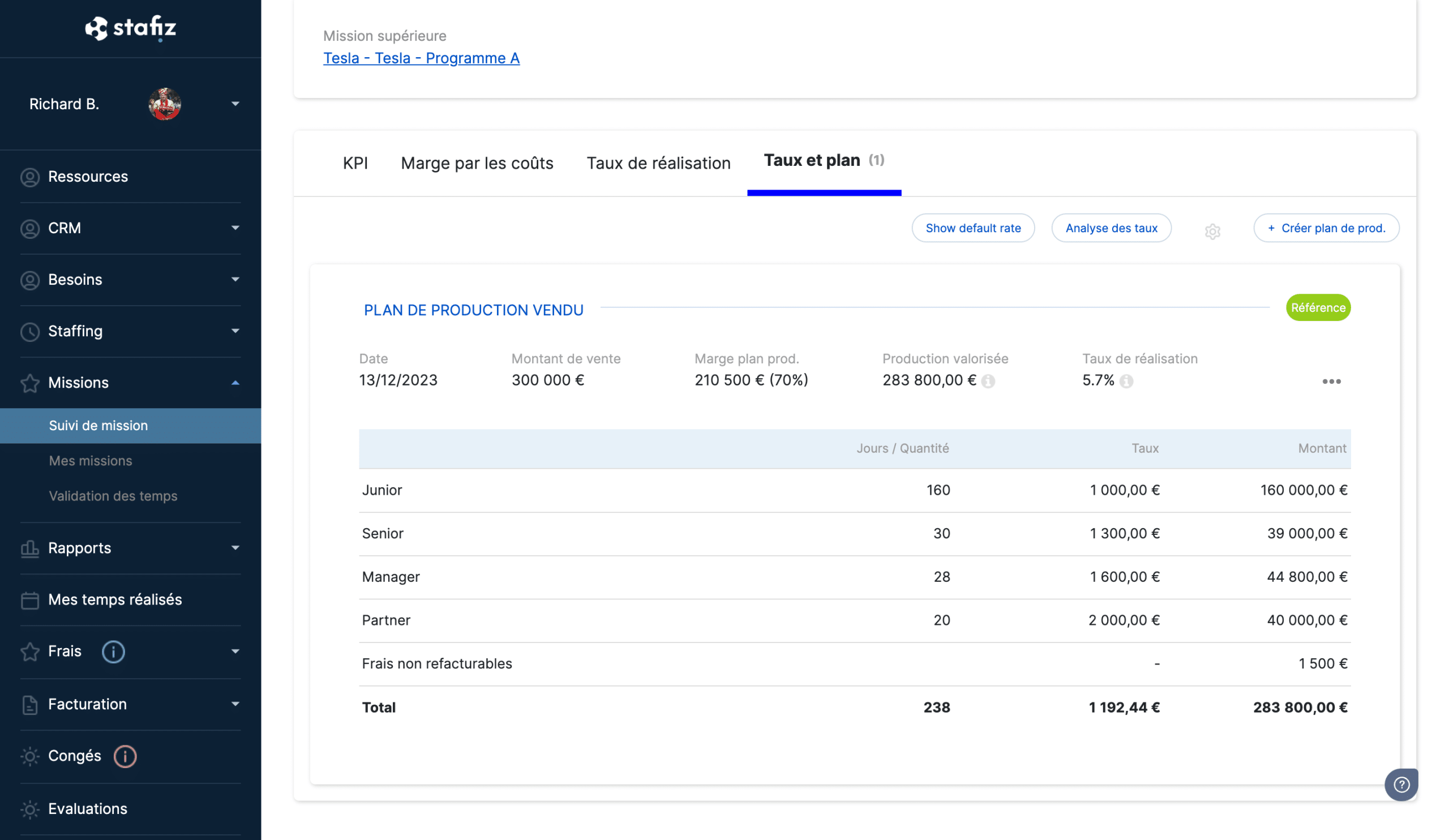
Past Project History
Once the project is completed, the difference between the baseline and the actual results becomes a pricing factor. A scoping phase billed at 5 days and consumed over 8 days across three consecutive projects is no longer considered unforeseen. It becomes a benchmark, and the next quote must reflect it.
This is the only mechanism that improves the reliability of estimates from one mission to the next. Without it, each estimate relies on the mission manager's intuition, and the same discrepancies are repeated. A schedule model informed by this feedback saves time on the next planning stage, provided it is updated after each completion.
Facilitated Communications
The shared schedule replaces progress meetings where everyone gives their feedback. Project manager, consultants, and client all see the same dates, deliverables, and remaining work. The discussion then focuses on how to address any gaps, rather than simply acknowledging their existence.
Promoting Transparency
A visible timeline eliminates the tunnel effect, that period when the client receives no updates between launch and delivery and discovers the result too late to make any changes. Dated milestones provide regular checkpoints, allowing them to see what is being produced and react while the cost of correction is minimal.
On the team side, the effect is symmetrical. When everyone sees the date their task determines, an alert raised three weeks before the deadline becomes a reflex rather than an admission of failure. This is what builds trust, not the visual representation itself.
Consolidated Data
Bringing all project data together on a single project planner makes operations more fluid. Thus, using comprehensive project planning software comes in handy.
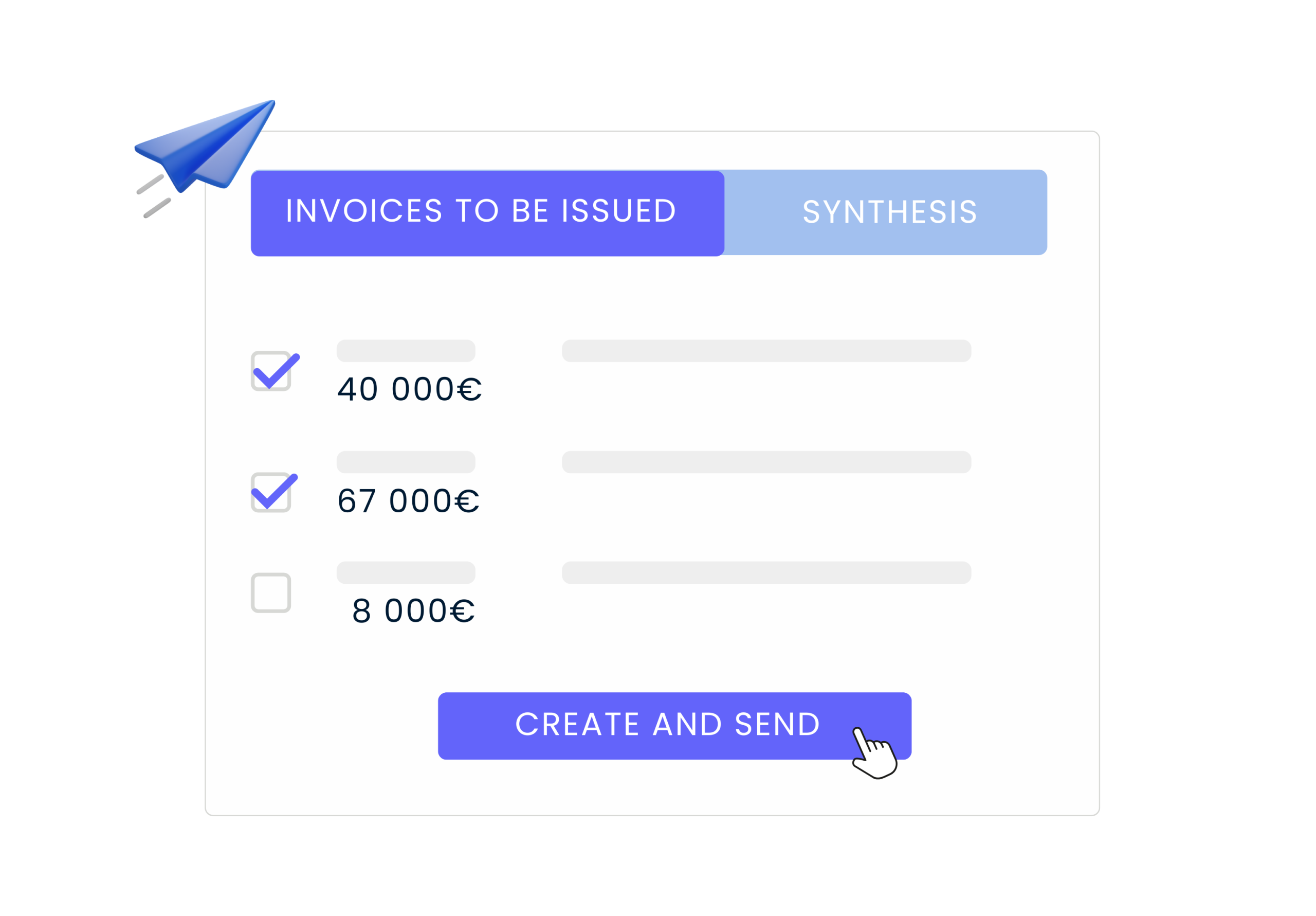
Then all you have to do is send your invoices in bulk , and schedule automatic reminders in case of non-payment.
What exactly is a project milestone?
A milestone is a zero-duration control date that marks the end of a phase, the validation of a deliverable, or a decision. It does not consume any working days: it records a state. This is what distinguishes it from a task, which has a start, an end, and a workload.
This distinction has a direct impact on billing. A completed task triggers nothing. A validated milestone does.
Three key points to help you set your goals:
- The number : count 3 to 5 milestones on a simple mission, 8 to 12 on a complex project. Beyond that, monitoring becomes more expensive than the management it enables.
- The criterion : each milestone is based on a verifiable and documented deliverable, not just a date. "Functional acceptance confirmed" is verified, "50% progress" is debatable.
- The validator : name the person who pronounces the validation, both on the client side and on the team side.
How to break down a billing schedule into milestones
A billing schedule breaks down the total cost of a project into payments linked to validated milestones. For a project lasting several months, it often takes three stages: an initial payment upon signing, two to four intermediate payments each triggered by a validated deliverable, and a final payment upon completion. The proportions are negotiated on a contract-by-contract basis; the numerical example below provides a framework.
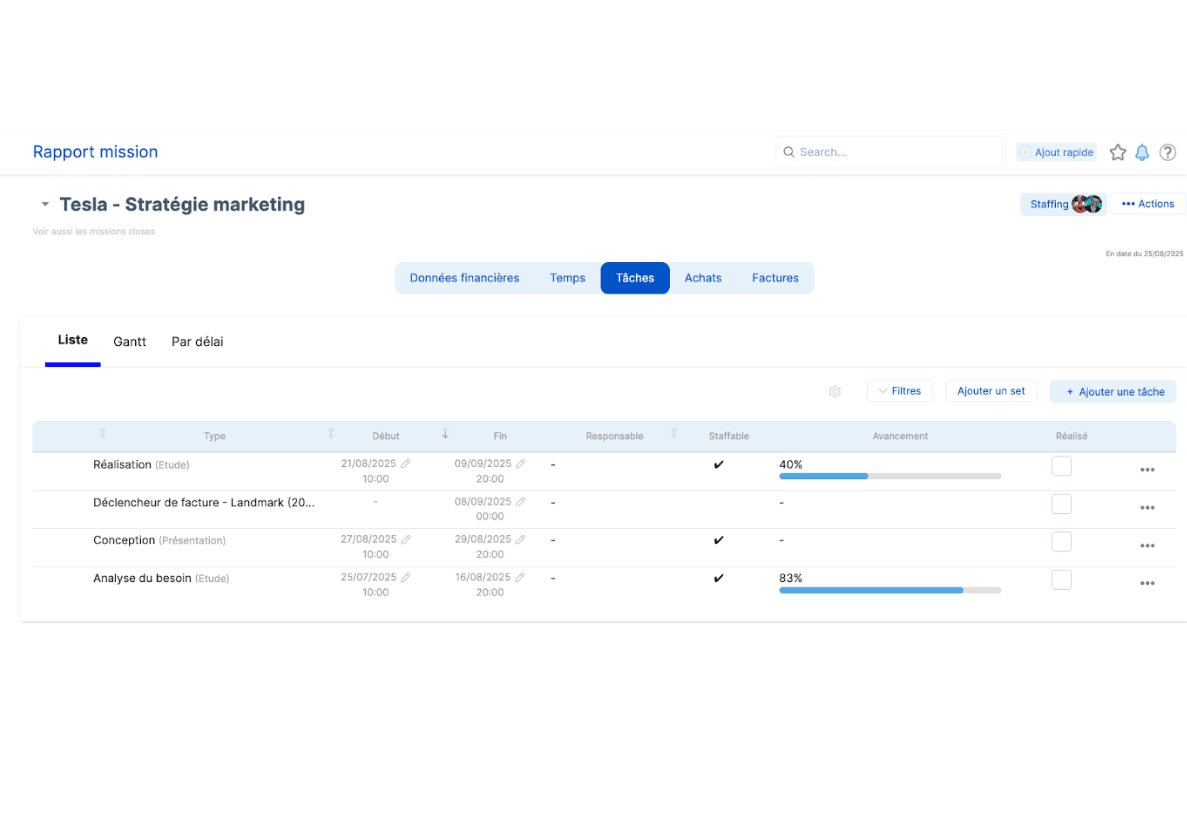
Four rules make this timeline sustainable in the long term:
- Set a deadline for validation. If the client doesn't respond within 10 business days, the deliverable is considered accepted and the invoice is issued. Without this clause, delayed payments will freeze your cash flow.
- Never let the balance exceed 20%. Too large a balance concentrates the risk at the end of the mission, precisely when disputes arise.
- Wait for payment to be received, not for the invoice. It's the deposit received that triggers the start of the work.
- Adapt to the project's format. For a project lasting less than a month, a 40-50% deposit and the balance upon delivery are sufficient. For a large client, whose payment terms can reach 45 to 60 days, adjust the payment schedule earlier: a larger deposit and earlier milestones.
Fixed price or time and materials: two types of project that do not offer the same timeline
The same work schedule is not billed in the same way depending on the contract signed. With a fixed-price contract, the client buys a result at a fixed price: the payment schedule breaks down this price into installments linked to deliverables. With a time and materials contract, the client buys time: the payment schedule tracks the days actually used.
The mechanism that makes this discrepancy visible is the update of the remaining work. Spending 6 days on a task billed at 10 is meaningless until the person performing it is asked how many more days they need. If the answer is 8, the overrun has already occurred, even though the budget shows 60% of the work already completed.
In both cases, the difficulty lies not in constructing the timeline, but in knowing where you stand. Linking resource planning to the mission budget reveals the gap as it widens, or even allows you to anticipate it, rather than discovering it at the time of mission closure.
In a service company, the schedule carries the margin
The advantages listed above apply to any organization. In a consulting firm or service company, the schedule brings an additional, decisive advantage: it brings together three pieces of information usually kept separately, namely when the work is expected, who performs it, and when it becomes billable.
This meeting has a quantifiable consequence. A milestone delayed by two weeks doesn't cost two weeks of delay. It postpones the receipt of the payment linked to it, ties up a consultant already booked for the next assignment, and transforms an unseen overrun into a loss recorded at closing.
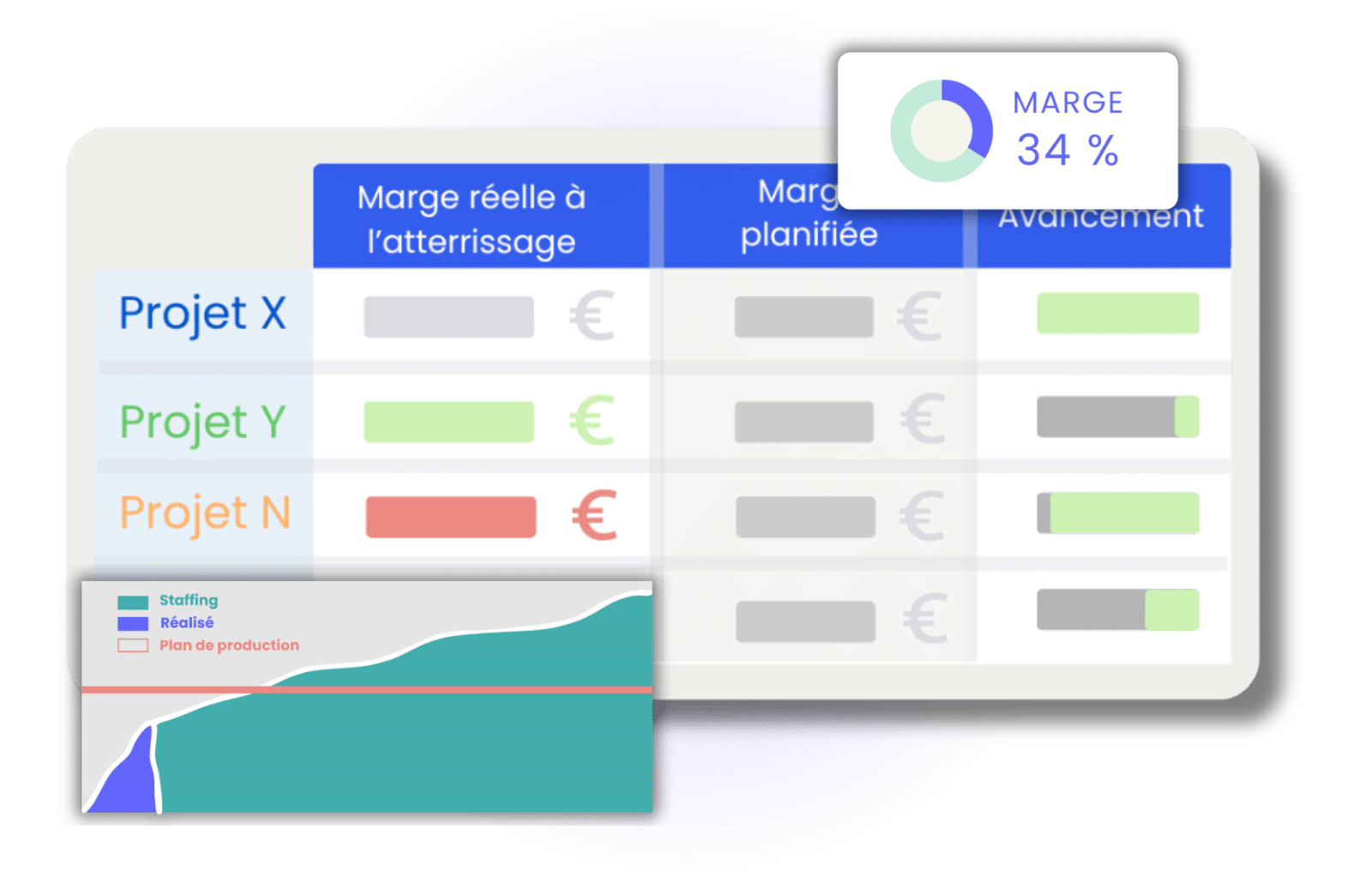
This is what separates a mission schedule from a shared calendar: it quantifies the shift of a date.
How to Present a Project Schedule?
Define Project's Context and Goals
As with writing an impactful activity report , defining your project timeline involves defining the context of the mission. To do this, you can answer the questions: what, who, how, when?
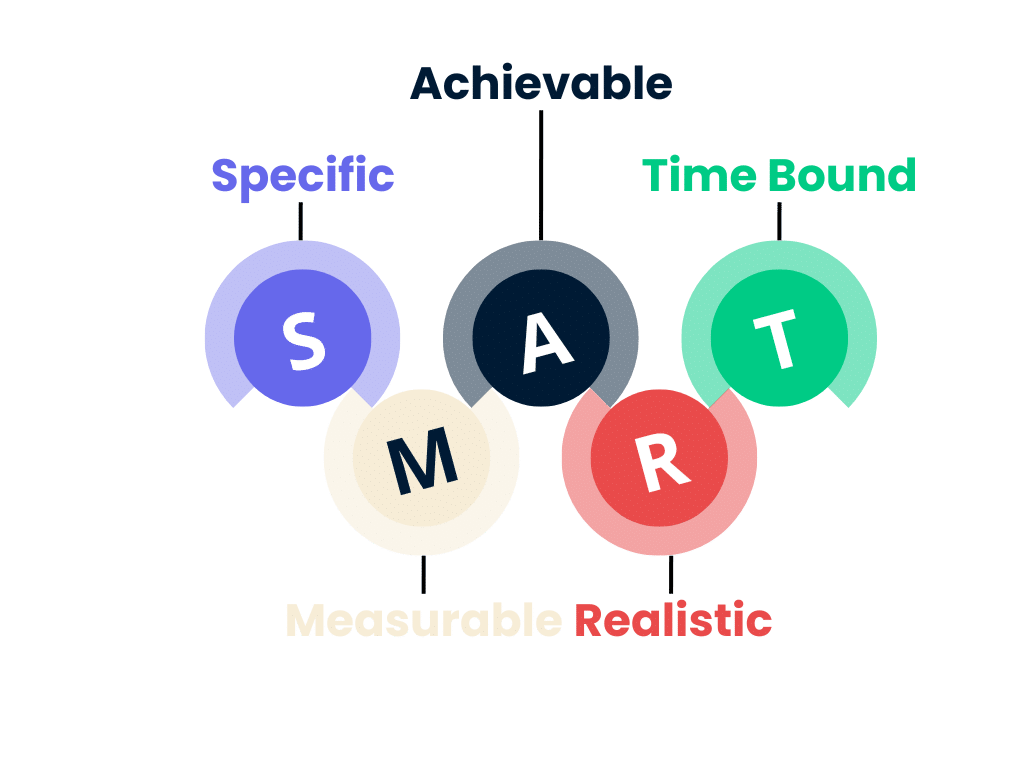
Furthermore, the project must meet specific objectives. You can use the SMART method : specific, measurable, achievable, relevant, and time-bound, to ensure that your objectives are relevant.
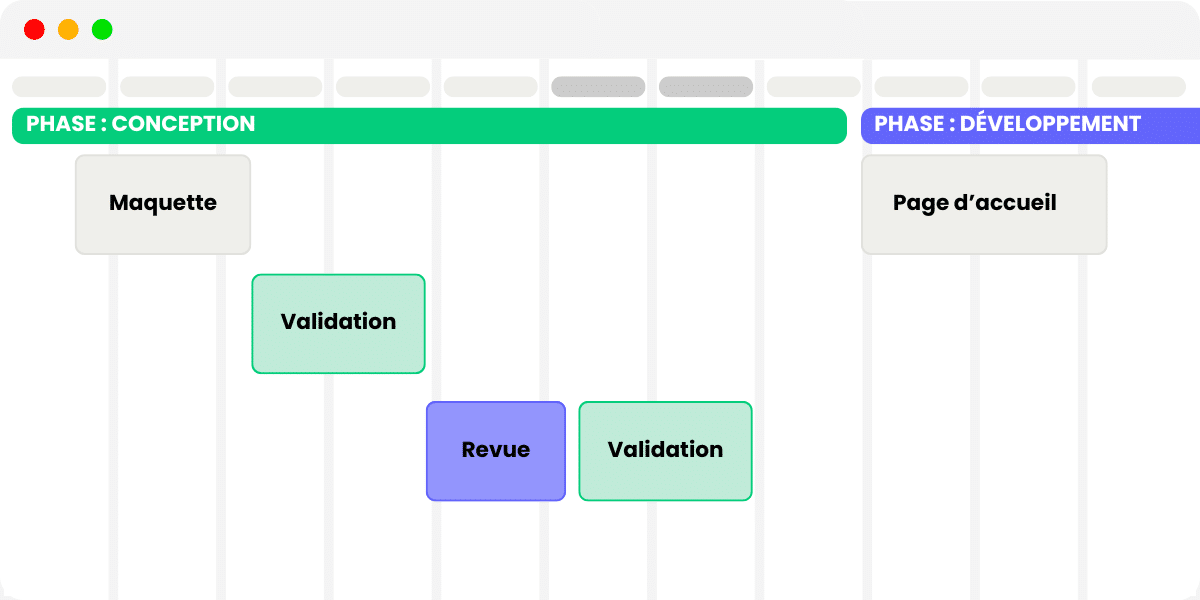
Your job is then to organize all these steps in a logical way to define the timeline of the project.
This breakdown assumes knowing which phase of the project you are at: the five phases of project management provide the framework within which the schedule is set.
Use a Target Fitted Visual Representation
Choosing a visual format that suits your message and your audience is essential.
Thanks to a tool like Stafiz, you will be able to centralize all the data and represent it in the most efficient way.
Two views are offered: the Kanban board or the Gantt chart. While each has different objectives, the two are complementary.
Using a Kanban
The Kanban view allows you to focus on tasks.
This intuitive and visual table allows you to quickly identify tasks and subtasks according to their priority, urgency, or deadline.
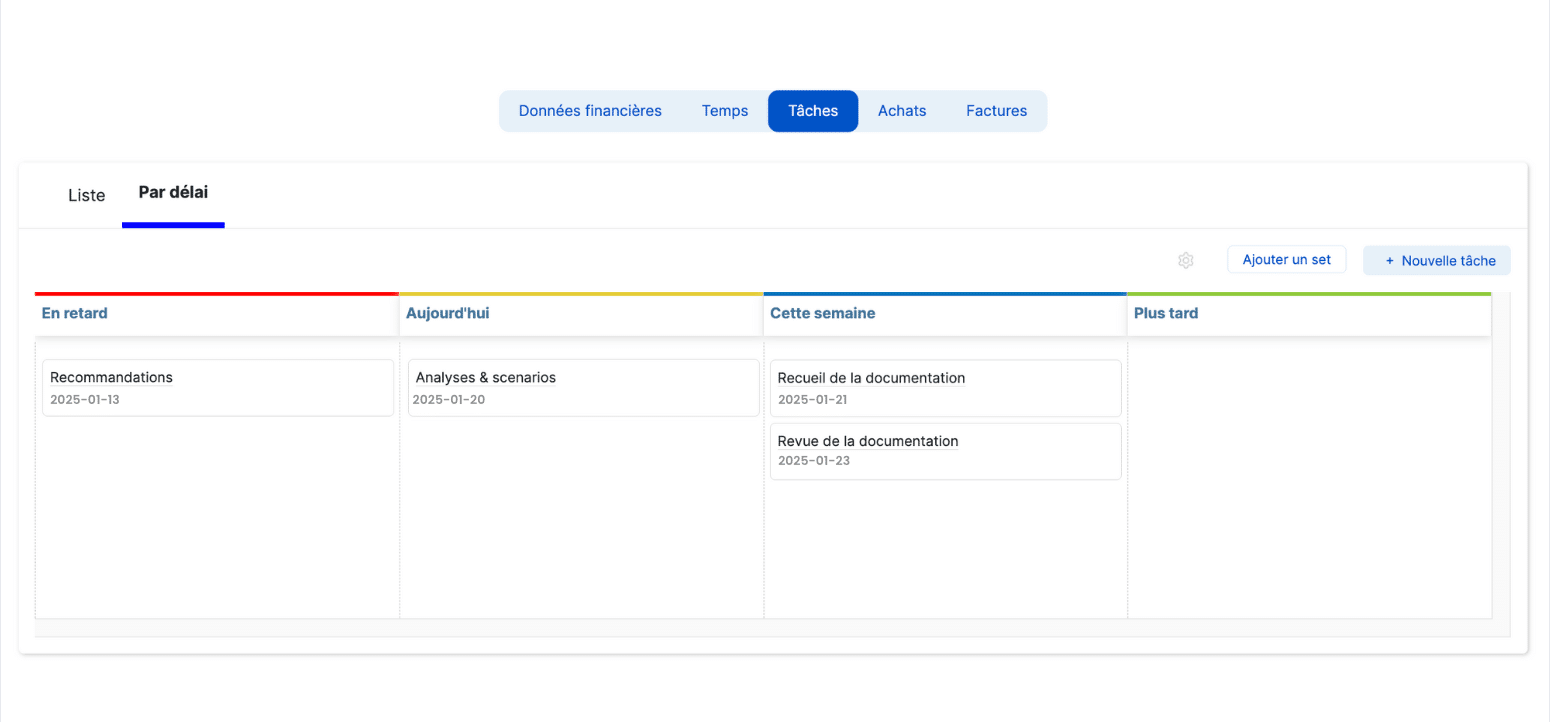
It is ideal for project team members who can easily identify their assignments and organize their work.
Gantt Project Schedule
The Gantt chart provides a more holistic view, quickly displaying the start and end date of each task.
This view also provides good visibility into dependencies.
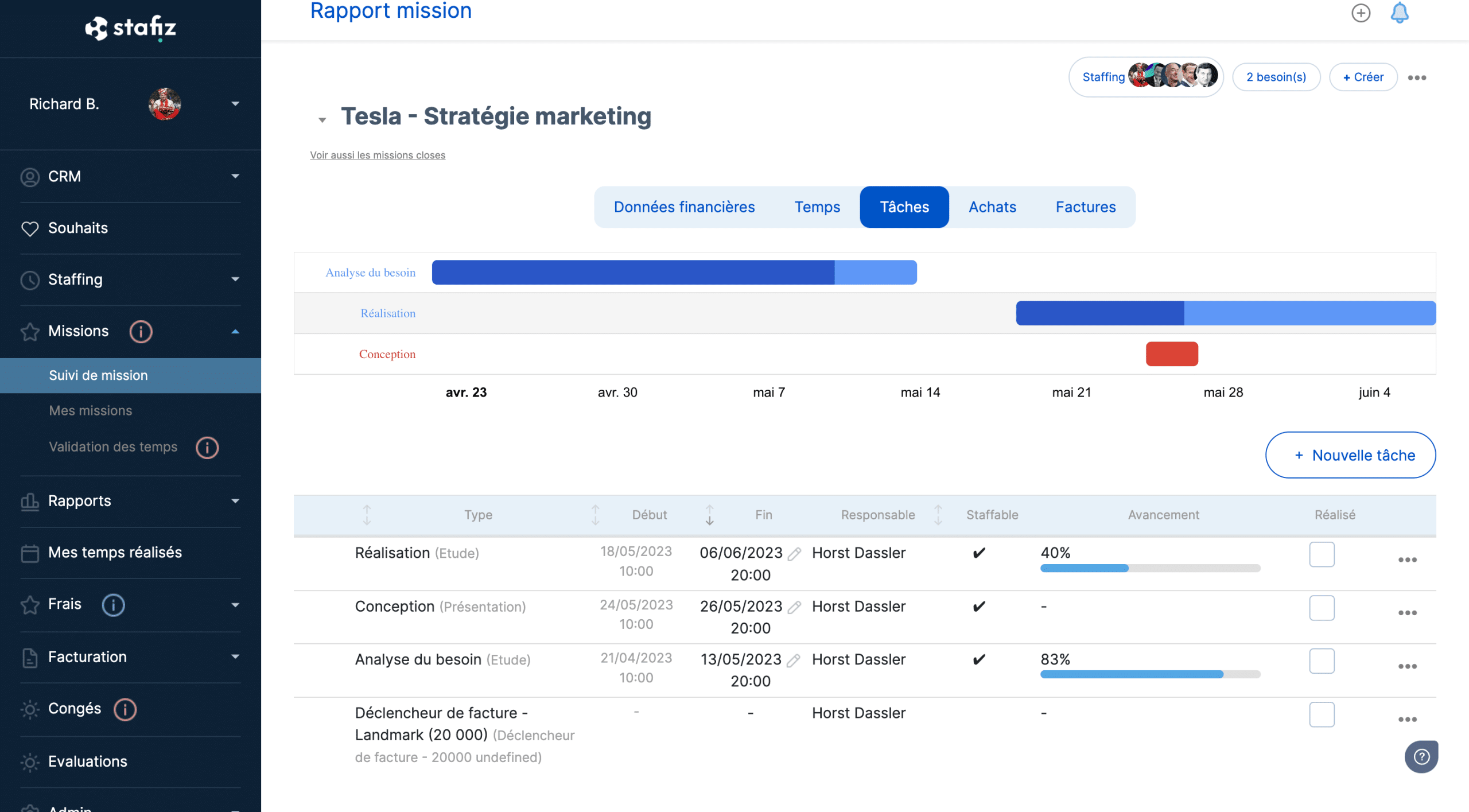
This level of detail can be more difficult to grasp on an individual level, and to use as a schedule.
However, this diagram is highly effective in situating a project's progress. Thus, project managers can present it in meetings, and use it to continuously adapt the capacity planning.
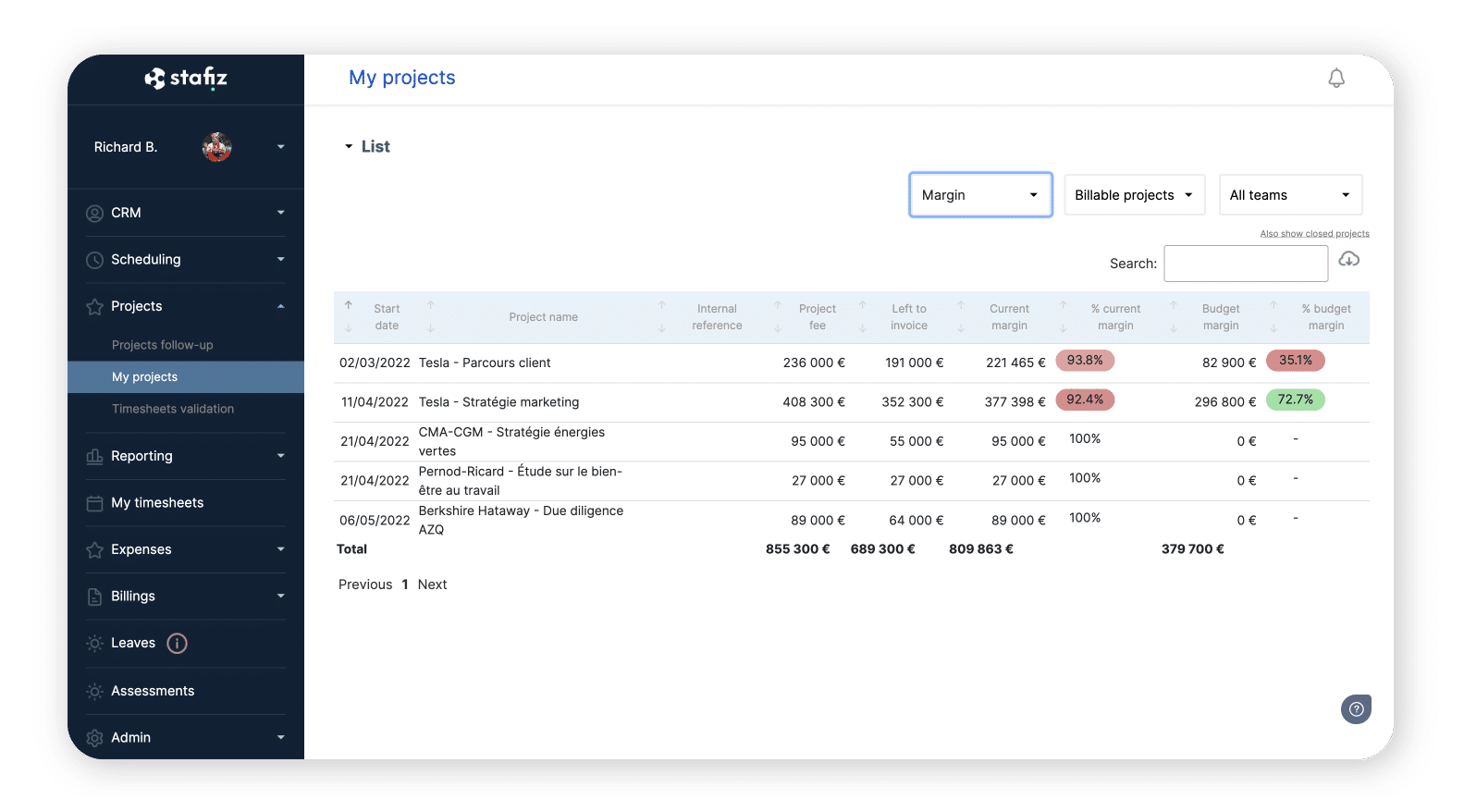
Stafiz also offers financial and progress monitoring features, including the ability to accurately track time spent. The impact is twofold, both from a financial point of view and on meeting deadlines in order to maintain the roadmap established by your project schedule.
Example of a 12-week consulting engagement timeline
A consulting project timeline is typically four lines long: the phase, the deliverable that concludes it, the milestone that validates it, and the portion of the budget that this milestone triggers. Here is the framework for a 12-week project, which can be adapted to your specific duration and scope.
| Phase 1. Scoping and launch | Weeks 1 to 2 | Mission letter and work plan approved | Kick-off meeting held, scope and assumptions finalized | Deposit of 20 to 30% |
| Phase 2. Diagnosis and analysis | Weeks 3 to 5 | Diagnostic report and costed inventory | The client has accepted the delivery of the diagnostic report. | 15 to 25% |
| Phase 3. Recommendations and scenarios | Weeks 6 to 9 | Target scenarios, quantification of expected gains, selected scenario | Decision made by the steering committee | 15 to 25% |
| Phase 4. Roadmap and pilot deployment | Weeks 10 to 11 | Operational roadmap, monitoring indicators, assigned responsibilities | Action plan approved and pilot launched | 15 to 25% |
| Phase 5. Feedback and closure | Week 12 | Final report, skills transfer materials | Closing steering committee meeting, reservations lifted | Discount of 10 to 20% |
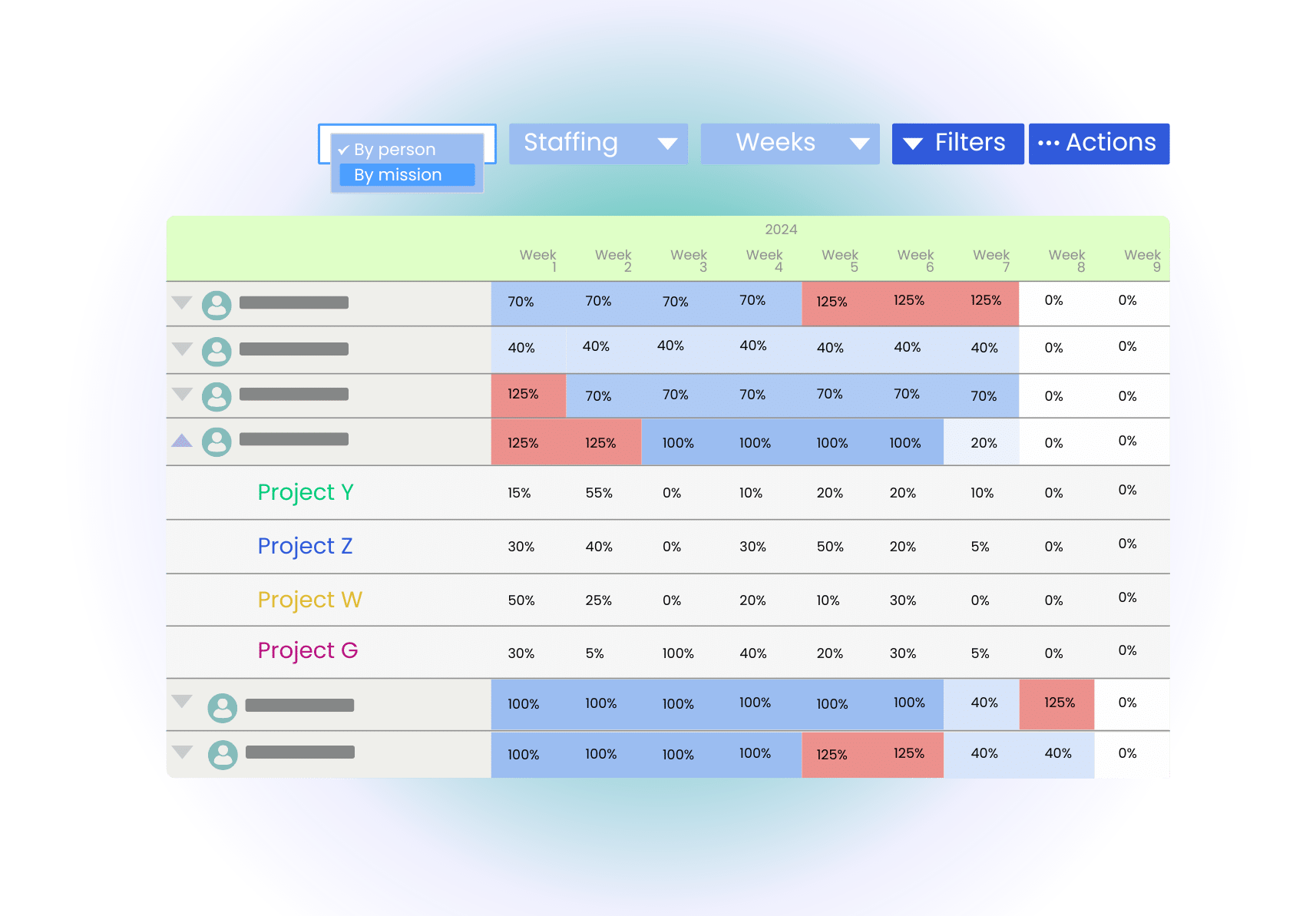
Two columns are often missing from this type of framework, and they make all the difference in terms of margin: the consultant assigned to each phase, along with their seniority level, and the workload allocated to them in days. Without these, the schedule indicates when the work is expected, but not whether it is feasible for the available personnel. Combining the two reveals a phase that is untenable before any commitment is made.
Share the Schedule with the Team
The impact of a project schedule will also depend on how it is shared.
Reportings based on precise analysis will help improve communication and therefore productivity.
At Stafiz, we are aware of these challenges and offer dedicated features, such as the ability to create progress reports. Shared with the whole team, they motivate and empower employees.
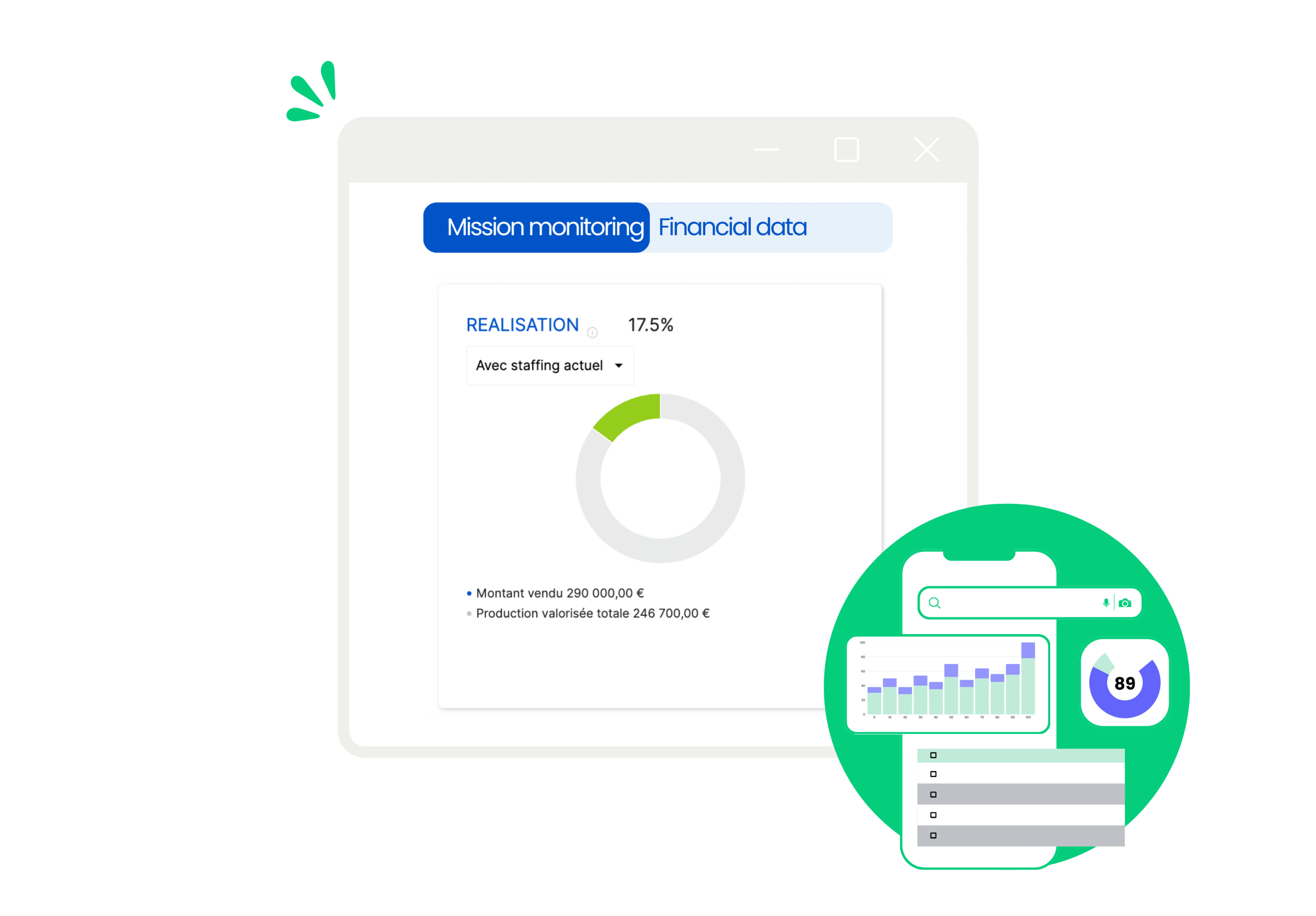
Updating the Project Timeline
A project schedule is subjected to change. Stafiz offers landing adjustment features to meet this type of need. In addition, automations that allow schedule changes to be passed on to resources are a great help.
Forget Excel to make your project schedule! You need advanced features to account for and replicate variations or unforeseen events in each of the components of a project, such as:
- time granularity (in hours, day, week, month, phase),
- grouping tasks by employee and teams,
- synchronization between resource planning and project financial management,
- Flexible schedule adaptation (from projects or employee load).
Using a project planning tool like Stafiz will not only allow you to gather all the information in one place, but also to anticipate through scenarios and react as quickly as possible with real-time visibility.
Stafiz helps you to remain flexible in the event of changes in priorities to lead to project success
Five mistakes that derail a mission timeline
A schedule almost never slips suddenly. It shifts gradually, and five causes consistently recur in service companies. Identifying them early requires only a few minutes of verification; discovering them at the end of the process costs unbilled days.
1. Defining the scope too quickly
A scope approved in one meeting is paid for with rejected amendments. Write down what is included, but also what is not, and have both signed. Scope creep never happens all at once: it progresses through small requests that no one connects to the initial budget.
2. Discover the time spent at the end of the month
Time entries recorded monthly provide a snapshot of the past thirty days. At this rate, an overrun is only noticed once the time has already been used. Weekly validation is sufficient to bring the discrepancy back within a window where adjustments are still possible: reallocating, renegotiating, or reducing the remaining work.
3. Keep planning and billing in two tools
When scheduling is handled in a spreadsheet and invoicing in a separate system, no one knows which milestone triggered which invoice. Delivery and invoicing milestones become out of sync, and unbilled production grows without anyone noticing.
4. Setting milestones without validation criteria
A dated milestone without written criteria is open to discussion on the day it falls. "Deliverable submitted" is not contestable, but "design phase 80% complete" is always open to debate. Specify the expected document, the person who approves it, and the deadline after which the absence of feedback constitutes acceptance.
5. Schedule people who are not available
A schedule built on names without verifying their actual workload produces an unrealistic plan by the second week. Cross-reference each assignment with other ongoing tasks, leave, and part-time work before setting any dates. A milestone is only valid if the person responsible for it is available on that date.
Frequently Asked Questions about Project Timelines
In project management, the term project schedule tends to be used synonymously with project planning. It then encompasses the deadlines, tasks, responsibilities, dependencies, and resources needed for the project.
In contrast, in the strict sense, the project schedule refers only to what relates to deadlines and schedules.
The purpose of the project schedule is to allow the project to run smoothly. It helps improve productivity, serves as a reference for the project team, and helps improve communication and collaboration.
A schedule is a calendar that links a list of items to specific dates. In project management, it sequences tasks, deliverables, and milestones over time. In invoicing, it distributes a total amount into staggered installments. The word encompasses both uses, which are distinguished by the context.
A project schedule template is a reusable framework that defines the columns to be filled in: phase, task, deliverable, milestone, responsible party, start and end dates, and estimated workload. It avoids starting from scratch for each project and makes durations comparable from one project to another.
The deliverables of a project are the concrete results submitted to the client: specifications, mockups, diagnostic report, roadmap, deployed application, documentation. Each is described by its expected content, delivery date, production manager, and the person who approves it.