Updated on July 20, 2026
In consulting firms and IT Services companies, the success of a project depends as much on meeting deadlines as on the profit margin achieved. Project planning bridges these two requirements: it provides clear direction, offers a comprehensive overview of progress, and facilitates decision-making.
Creating a sustainable long-term project plan requires careful planning. When tasks, resources, and budgets reside in separate Excel files, even the smallest deviation goes unnoticed until it erodes the project's profitability. A poorly structured plan can derail the entire project: cascading delays, unanticipated over- resource planning , and dwindling profit margins by the end of the project.
An effective project plan therefore requires rigor, anticipation, and perspective, supported by a clear methodology and appropriate tools. In this article, we detail the 9 steps to build a reliable project plan, from the initial scoping to the post-project analysis.
In a service company, the project manager builds his project plan in 9 steps (prepare, equip, break down tasks, budget, staff, allocate, consolidate, adjust, analyze) to meet his deadlines and margin.
What is a project plan?
A project schedule is the document that sequences the tasks, milestones, resources, and budget of a project over time. It provides an overall view of progress, ensures deadlines are met, and anticipates workload and margin overruns before they affect profitability.
The preliminary version of the schedule sets this framework upstream, while the macro schedule provides the overall view.
🔎 Key takeaways about project planning
- A project plan organizes tasks, milestones, resources, and budget on a common calendar.
- Its construction follows 9 steps , from the initial framing to the post-project analysis.
- Four methods structure it: WBS, Gantt chart, PERT network, critical path .
- A single tool consolidates deadlines, resources and margin, where Excel quickly becomes unmanageable.
- The schedule remains fluid : regular checkpoints on costs, resources and deadlines.
Step 1: Prepare the project
Putting together a project plan involves clarifying the objectives to be achieved .
This scoping phase helps to clarify expectations and ensure alignment of all stakeholders in order to get to the heart of the project.
Thus, project planning begins with a preparation phase where you will define how the project will be executed and controlled.
This scoping phase lays the foundations of the project and details:
- the various tasks;
- the phases and order of execution of the different activities;
- the human resources required
- budget and costs.
The framework note then makes it possible to keep the traceability of this context.
A real roadmap, it takes the form of a document that answers 5 essential questions.
- What: What does the project consist of? What needs to be done?
- Who: who is in charge of what?
- How: What are the tasks to be accomplished? What are the deliverables?
- When: on what time scale? What is the timetable?
Like the project progress report , its purpose is to inform the teams.
Finally, the preparation phase represents an opportunity to anticipate needs.
Take the example of project management software Stafiz, which can help you estimate the resources you'll need before you've even started your project.
- Integrate CRM and project management tool
Indeed, Stafiz accepts many integrations.
You can then connect your CRM and be alerted when the project has a high chance of being won so you can start preparing your resources .
- Forecasting recruitment and training needs
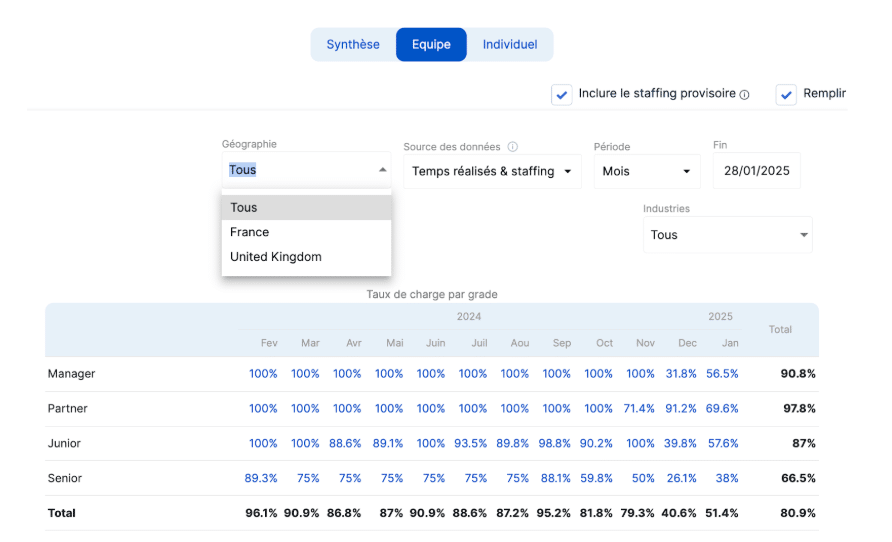
In addition, Stafiz offers a total capacity curve that shows the current and future load.
This feature provides a clear view of future requirements, enabling you to anticipate recruitment or training needs.
Step 2: Choose the right project schedule tool
Although it is possible to combine several tools (Gantt chart, PERT etc.), using a single project planning tool will allow you to centralize all the data, for increased reliability and flexibility.
Excel, the false good idea
Excel proves poorly suited to creating and updating a project schedule. Indeed, the document quickly becomes complex to use and interpret.
Columns, merged cells... Any addition of information requires drastic formatting.
Excel was not designed for planning or managing projects .
Use project schedule software
Instead, we recommend using dedicated project planning software .
Indeed, this type of tool allows the schedule and the different components of the project to evolve according to unforeseen events.
Thus, Stafiz is a comprehensive tool designed to facilitate project management . It allows you to:
- centralization of data (reliability);
- real-time monitoring (responsiveness for better decision-making);
- the possibility of cross-referencing data;
- communication and information sharing (team productivity).
For service companies ( IT Services , consulting firms, agencies) , one category of tools goes beyond traditional scheduling: PSA (Professional Services Automation). A PSA connects scheduling, the resource planning and the margin in a single system, whereas a general-purpose tool stops at the task schedule.
| Task schedule | Calendar and Gantt chart | Calendar linked live to resources and budget |
| resource planning and availability | Not covered | Matching profiles, availability, and monitoring of inter-contract periods |
| Project margin and profitability | Not covered | Real-time projected profit and loss statement |
| Consolidated vision | One tool per silo | resource planning projects and finance in a single system |
Step 3: List and prioritize tasks
List all milestones and tasks
This step consists of making an inventory of all the tasks that will have to be carried out during the project.
Milestones, tasks and sub-phases can be distinguished, from the broadest to the most precise.
- Milestones represent major stages in the process (e.g. sending specifications to the customer).
- The tasks represent all the elements that make up the project (e.g. drafting of the specifications).
- Subtasks are all the elements that make up the tasks (e.g. proofreading and correcting the document).
The more tasks are broken down the more visibility you have over the work to be delivered.
This will allow you to be as accurate as possible when you need to estimate the budget .
Furthermore, you will be able to build a more precise schedule to ensure your commitments to the client .
To help you create a task list, you can use the Work Breakdown Structure (WBS). This breakdown prepares the task planning .
Identify dependencies
After identifying all the tasks that make up the project, you need to determine which tasks need to be done before others, and which ones can be done at the same time. To do this, identify the interdependencies between tasks so that you understand their impact and how best to prioritize them.
In the case of a bakery, it's impossible to make bread if the flour hasn't been purchased. In the case of a digital project , the sequences may be less clear, but they are just as impactful.
Indeed, if this step is neglected, it can jeopardize your schedule and your project .
Take into account the response and validation times of your employees and service providers.
Several tools exist to help you identify dependencies .
The PERT diagram organizes tasks in a network format to provide an overall view of the project, as well as tasks to be carried out as a priority, in parallel, and critical tasks to meet deadlines.
The critical path involves breaking down the project into the longest possible sequence of tasks to complete the project.
Each task that affects the duration of the project is then reflected throughout the entire sequence.
This method allows you to obtain a pessimistic view of the project in order to organize the project schedule strategically.
Gantt charts, PERT charts, WBS charts, critical path diagrams: which method should be used to structure the schedule?
Four complementary methods help to move from a to-do list to a manageable schedule. They are not mutually exclusive: a single planning tool combines them without re-entering data.
| WBS (Wide Block Structure, SDP in French) | Break down the project into milestones, tasks and sub-tasks, from the broadest to the most specific. | At the start, to define the scope and ensure the reliability of the budget estimate. |
| Gantt chart | Visualize tasks over time, with durations, milestones and progress. | To share the calendar and track progress daily. |
| PERT network | Organizes networked tasks to reveal their dependencies and critical tasks. | When the sequences are complex and determine the deadlines. |
| Critical path | Identifies the longest sequence of tasks that determines the minimum duration of the project. | To secure the delivery date and prioritize tasks without margin. |
Scheduling tasks
Once dependencies are identified, categorize tasks by considering:
- the outbuildings;
- priorities;
- the impact generated and the importance of each task.
Step 4: Set a budget
The schedule and budget are closely linked and must therefore be determined in parallel.
In reality, project planning must be built based on 3 components simultaneously, representing as many dimensions of planning :
- the budget,
- resource selection,
- resource allocation.
Rely on the available elements
Gather all the elements you have to build the budget : the list of tasks, dependencies, risk management and resource allocation which we will discuss in a later section.
The more information you have available, the more realistic your budget can be .
Use a dedicated tool
Numerous budgeting tools exist to help you with this step.
To establish a project budget forecast , start by determining the feasibility of the project .
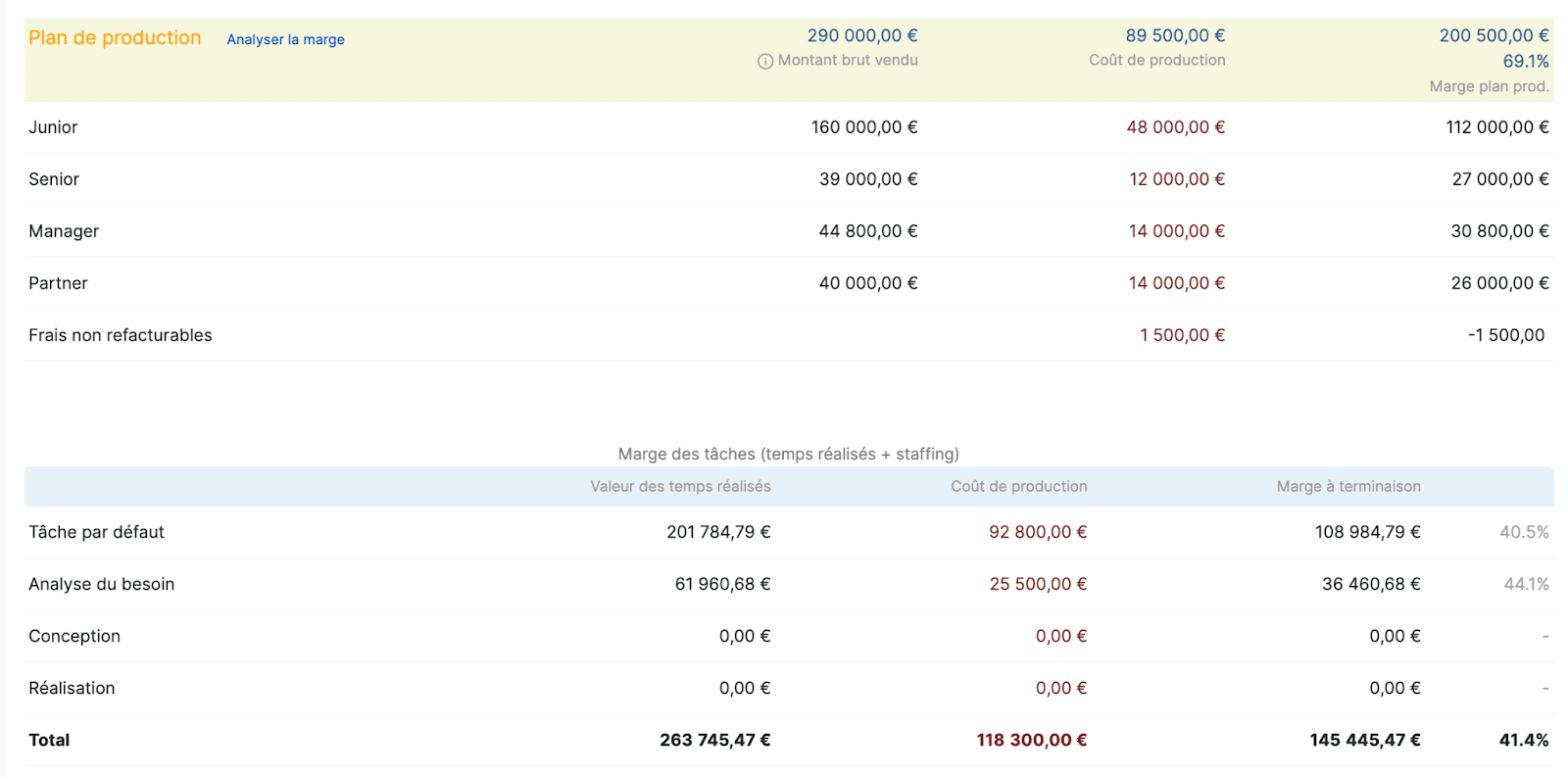
For this, Stafiz offers, for example, a production plan .
This aims to visualize the expected margin , by profile or by phases.
Thus, it offers a precise vision by taking into account all costs (purchases, subcontracting costs, human resources costs depending on seniority, etc.)
Step 5: Select the most suitable profiles
Selecting the right profiles is crucial in a project.
Indeed, it greatly influences resource allocation , budget, and schedule.
A poor selection can lead to a loss of productivity and generate unforeseen costs.
Finding the balance between availability, appetite and budget
Thus, selecting profiles for a project involves finding the right balance between skills, availability, appetites and costs.
Be careful not to neglect employee preferences: a demotivated or passive employee could slow down the project or even damage your reputation.
In addition, be vigilant about the availability of the resources selected on the project to prevent profiles from cannibalizing each other.
Use tools: matching engine and scenario builder
To select profiles strategically, cross-reference the data available.
Stafiz offers two features that are ideal for profile selection: the matching engine and the scenario builder.
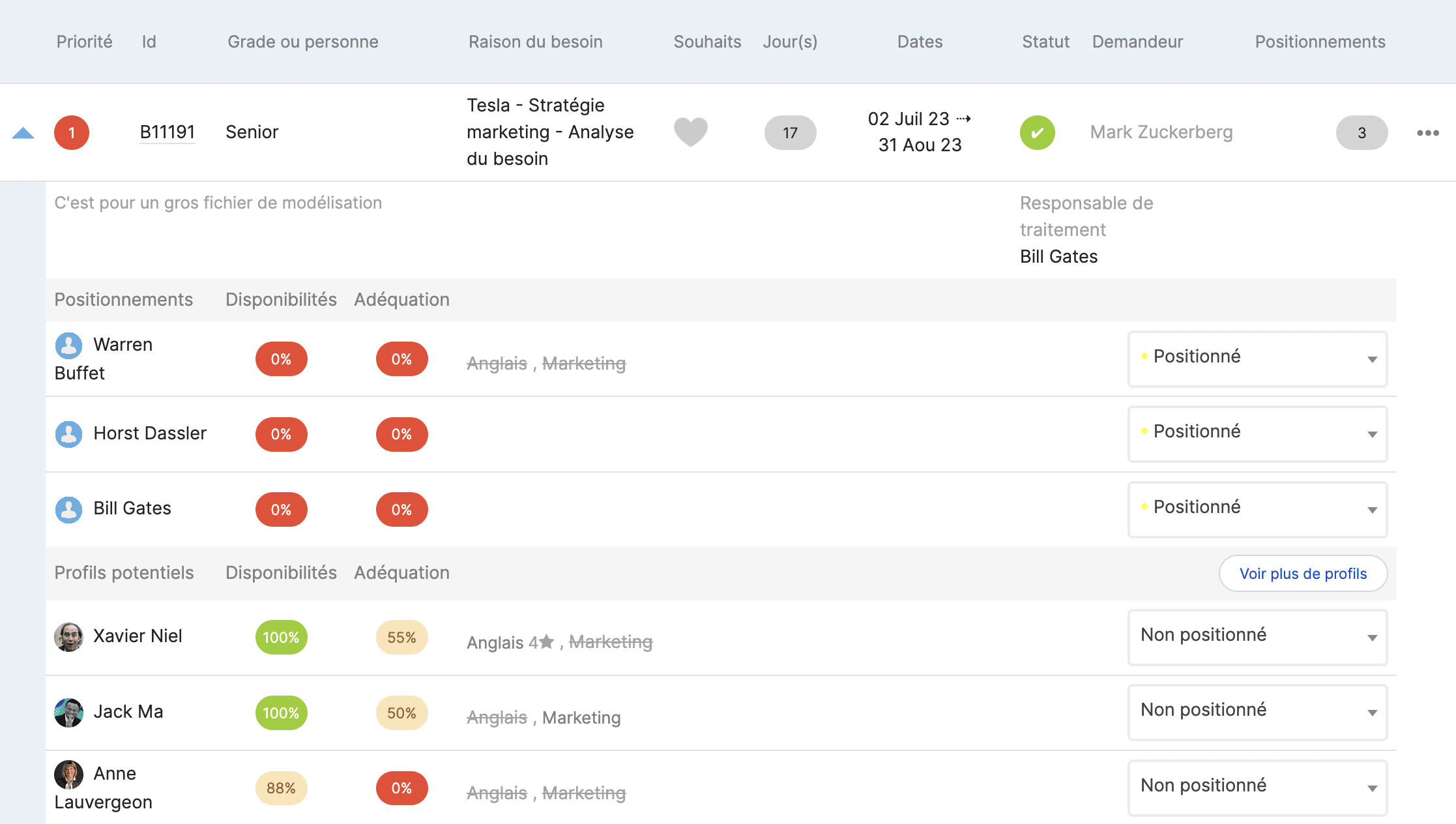
Stafiz's Smart Matching highlights project/profile compatibility by taking into account availability, skills and motivation.
In addition, it can be particularly useful for IT Services because it helps to identify potential profiles for a management company according to defined criteria.
The identified profiles can then be contacted directly in order to anticipate positioning .
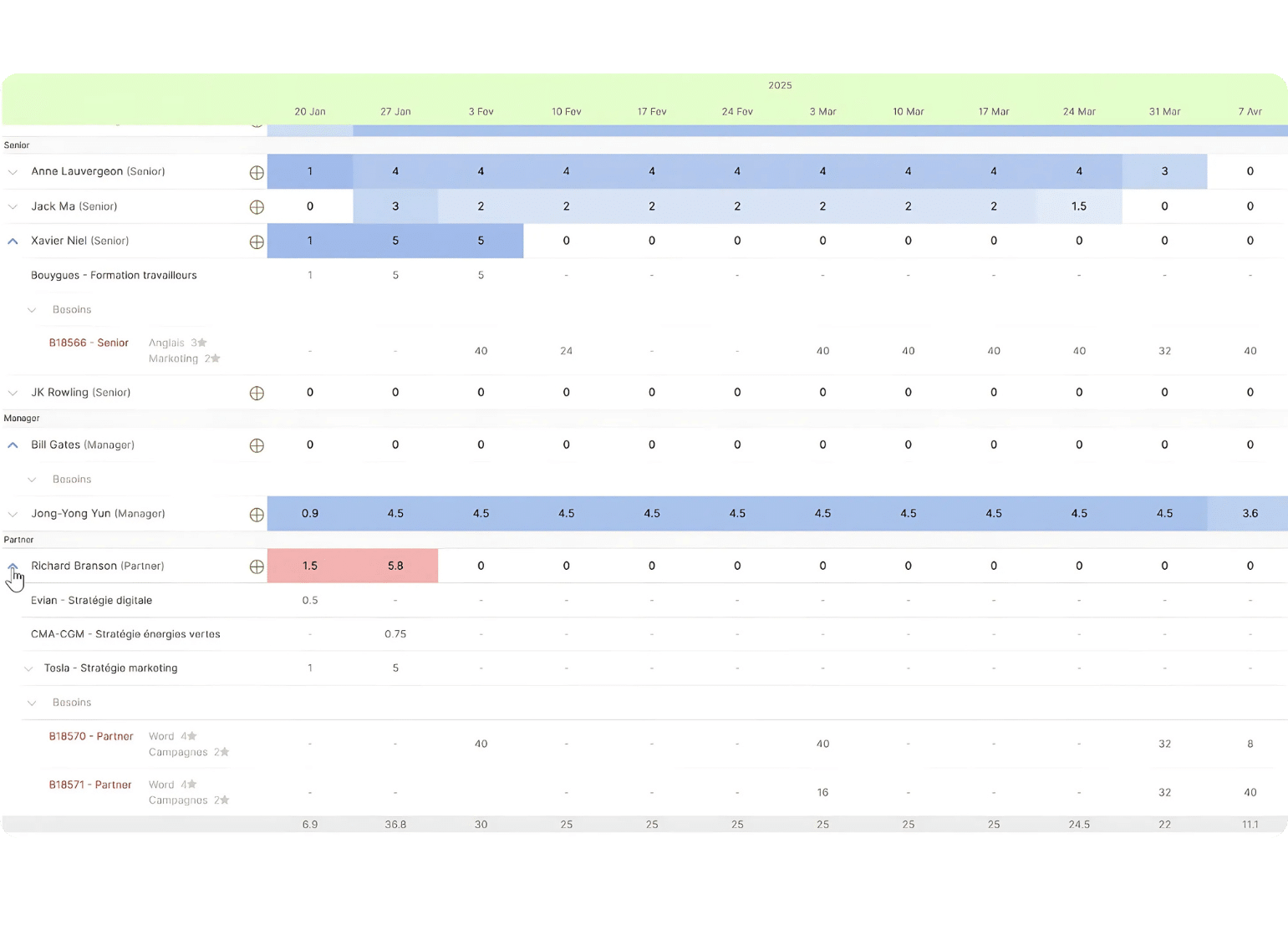
In addition, the resource planning grid allows visualization of suitable profiles based on upcoming projects.
This feature helps to arbitrate to strategically place each profile.
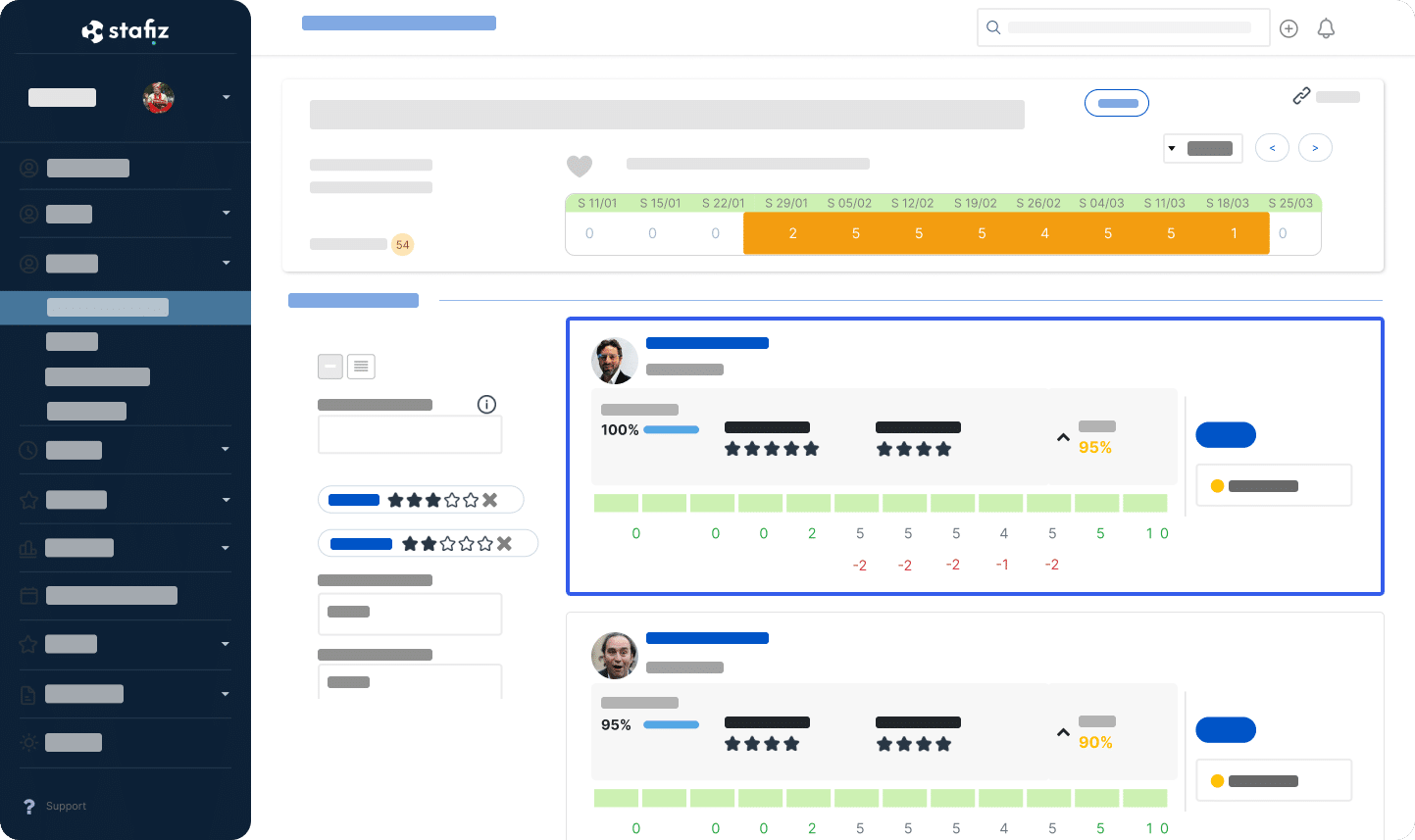
A powerful search engine
You can also search for a profile to position on an assignment by typing keywords for skills, role, experience, or any other data that seems relevant to you.
The other profile selection tool, the scenario builder , allows for optimized placements.
This allows you to choose the most suitable profiles based on their relevance, expected margins or occupancy rates in order to maximize profitability .
Optimize sales performance
This type of functionality enables you to optimize sales performance in three areas.
- Overall profitability , because the workload of employees is optimized.
- Commercial performance and customer satisfaction because projects are well executed, thanks to adapted profiles.
- Employee engagement and retention are ensured because aspirations are taken into account.
Step 6: Define resource allocation
Getting a realistic view of capabilities
To allocate resources strategically and thus enable the execution of the project plan , it is essential to obtain clear and reliable data.
Thus, having a real-time view of capabilities facilitates decision-making.
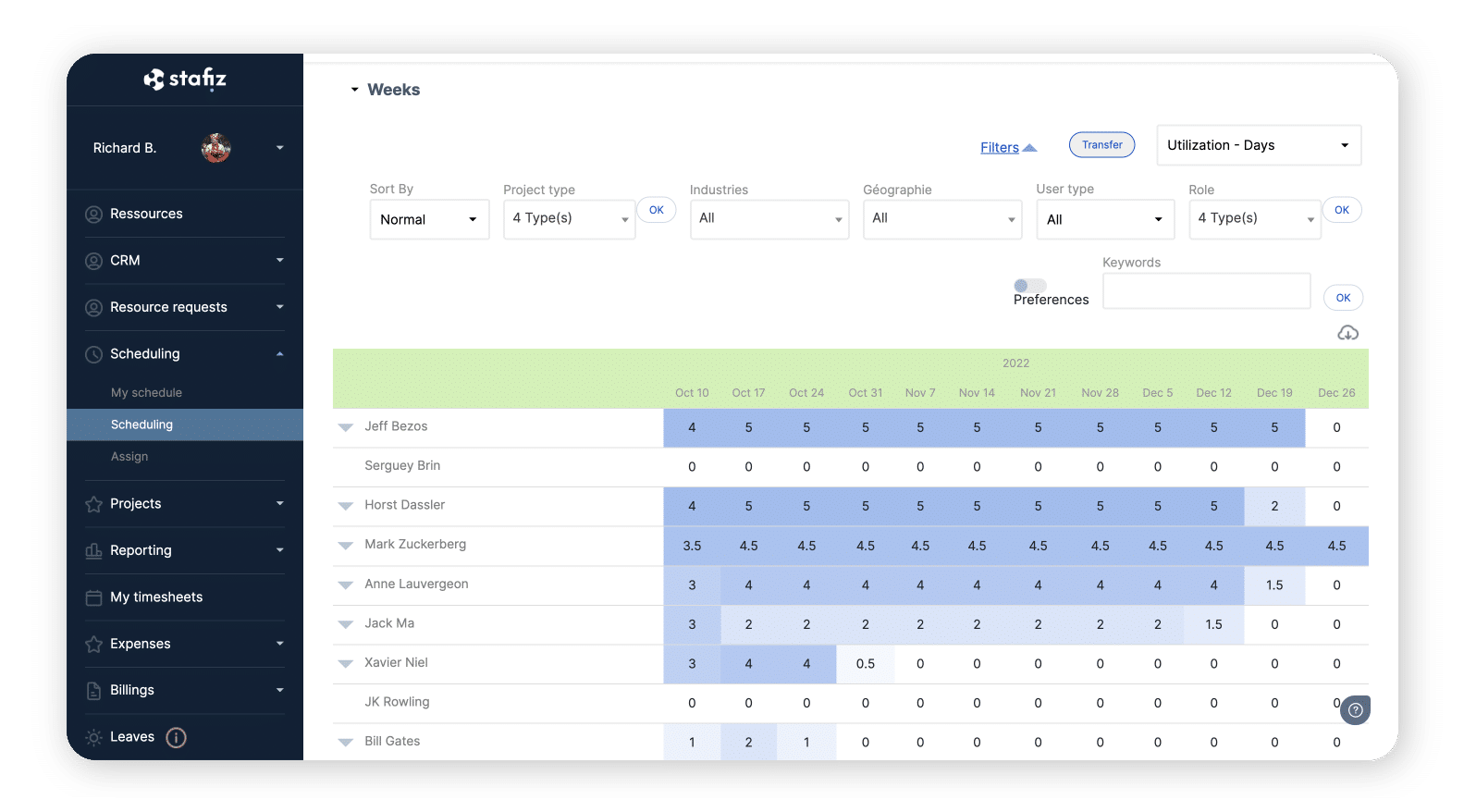
One of Stafiz's features is to offer pre- resource planning to facilitate deliberations.
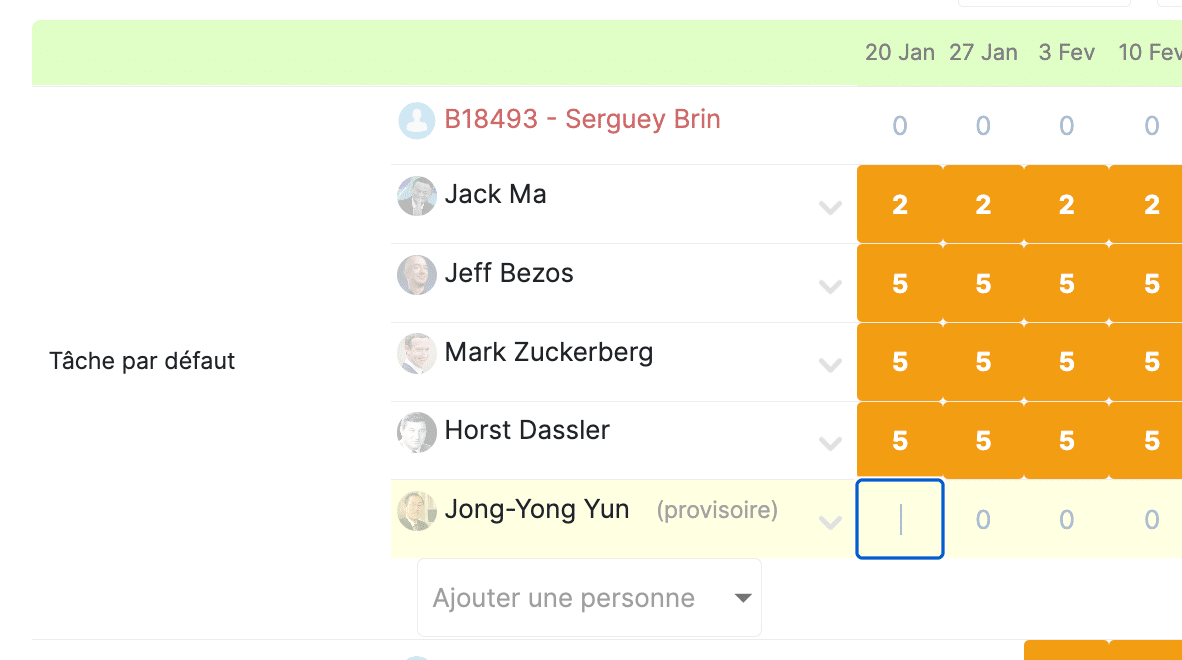
This then takes into account criteria such as leave, training or part-time work.
Define roles and responsibilities
The next step is to determine everyone's roles and responsibilities in order to avoid any misunderstandings or conflicts.
Indeed, each employee must know at what stage he or she is involved and what is expected of him or her. Failure to do so could jeopardize the project schedule, and therefore the success of the project as a whole.
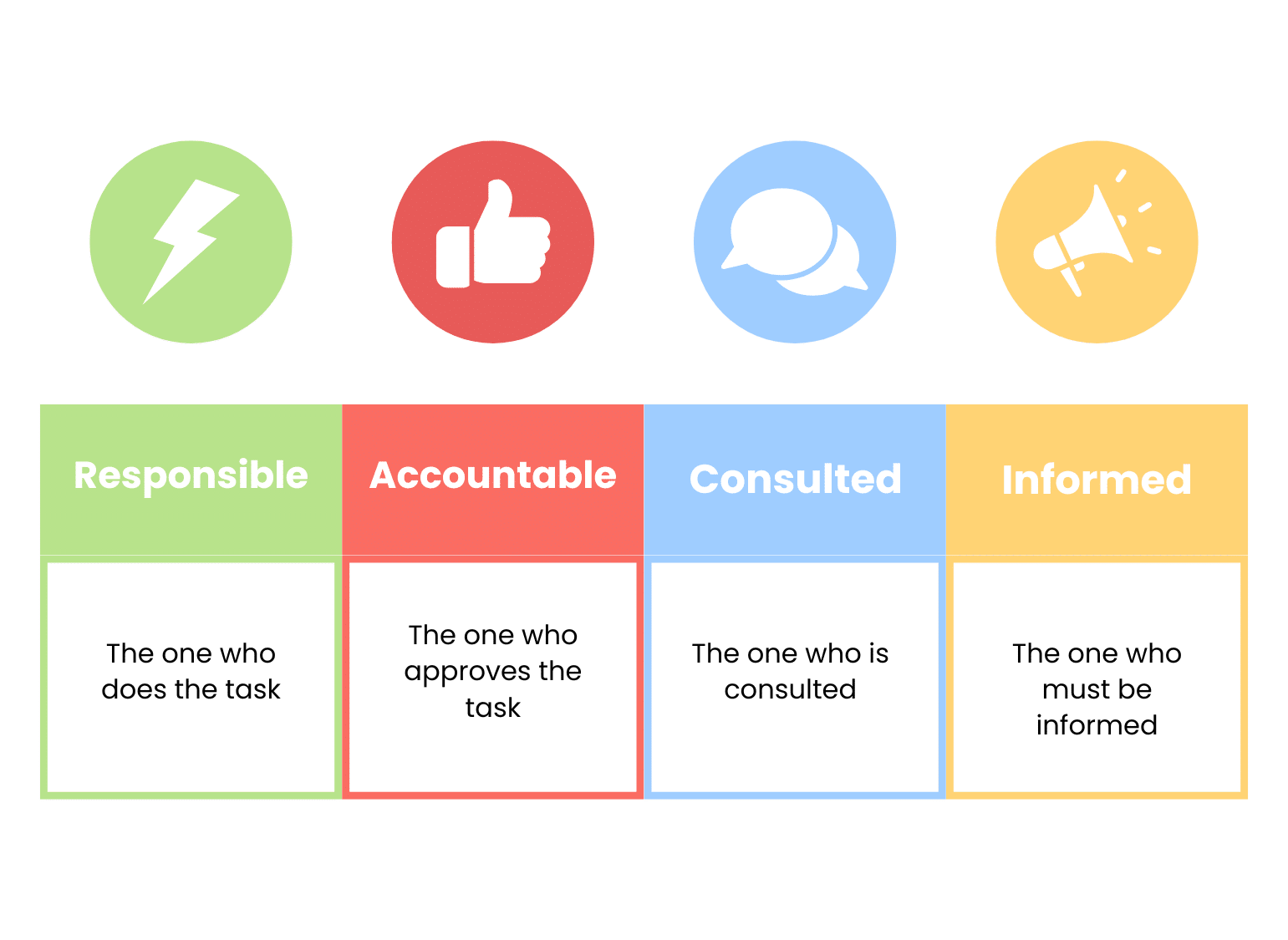
Tools such as the RACI matrix facilitate this step . This helps clarify who does what, when, and what is expected of them.
Step 7: Link planning, human resources and budget
To maintain the margin for a service project, the schedule must remain connected to resources and budget in real time. A PSA like Stafiz does this natively: assigning a consultant updates the project's financial forecast, whereas a traditional planning tool separates tasks from costs.
Several steps are interdependent and must be carried out in parallel.
Thus, it is impossible to establish the budget without knowing the tool to be used, the number of collaborators, or the scope of the tasks to be carried out to complete the project.
In the same way, it is difficult to decide on the size of the team without having an idea of the budget.
Therefore, you can begin by estimating the number of hours and collaborators needed for each task.
Next, consolidate everything to establish a plan, materialized by a project schedule .
Gantt charts remain a credible option, but a comprehensive project management tool will be easier to update.
However, planning is not a tool fixed in time: it is flexible because it will evolve with the reality of the projects .
Step 8: Evolve the project schedule
According to the Project Management Institute , nearly one in two projects experiences scope creep during its execution. A rigid schedule cannot withstand these changes: it is revised at each checkpoint.
Indeed, the schedule evolves as the project progresses, hence the importance of rigorous project monitoring .
Stay Flexible
The project schedule must be adapted to the project constraints .
Thus, it is not uncommon to observe unforeseen events in consulting or IT.
In addition, external events may require adjustments (restructuring, legal developments, wars, etc.).
This is precisely why it is essential to implement effective risk management before any project begins .
This need for flexibility implies the necessity of having reliable and centralized information. This then ensures a consistent level of information , facilitating responsiveness in case of discrepancies.
Set up checkpoints
Project monitoring involves checking three essential points:
- costs,
- resource allocation,
- the deadlines.
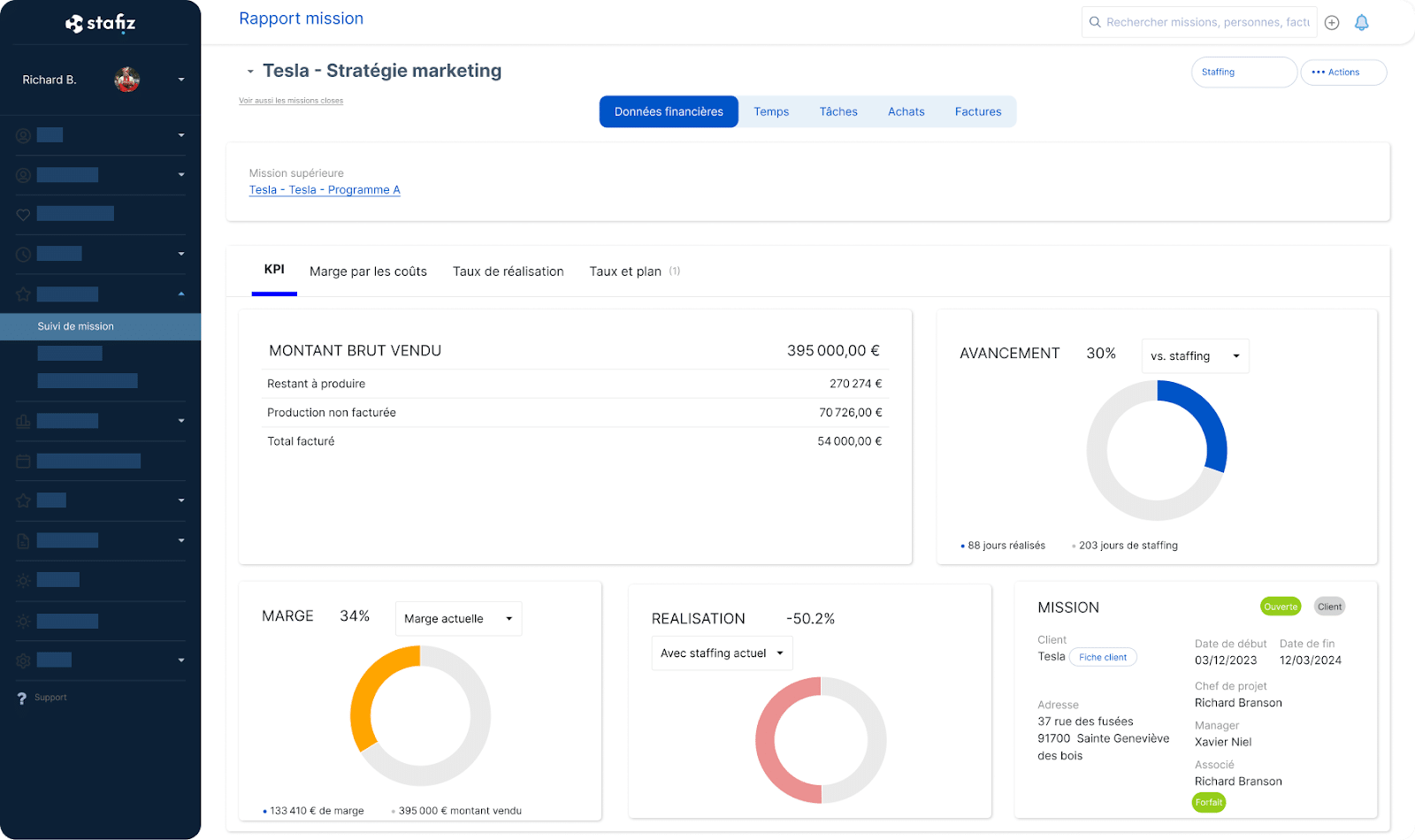
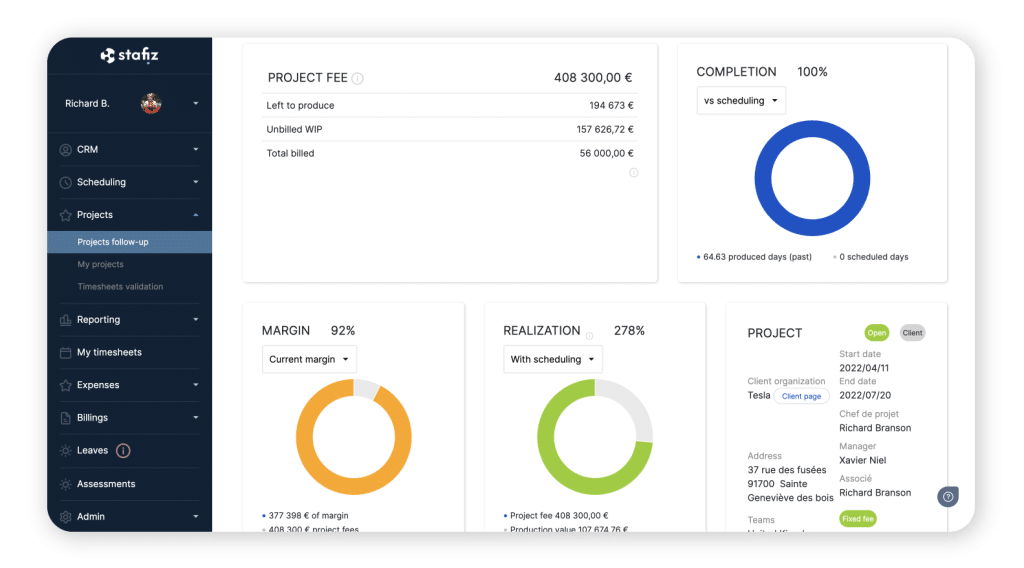
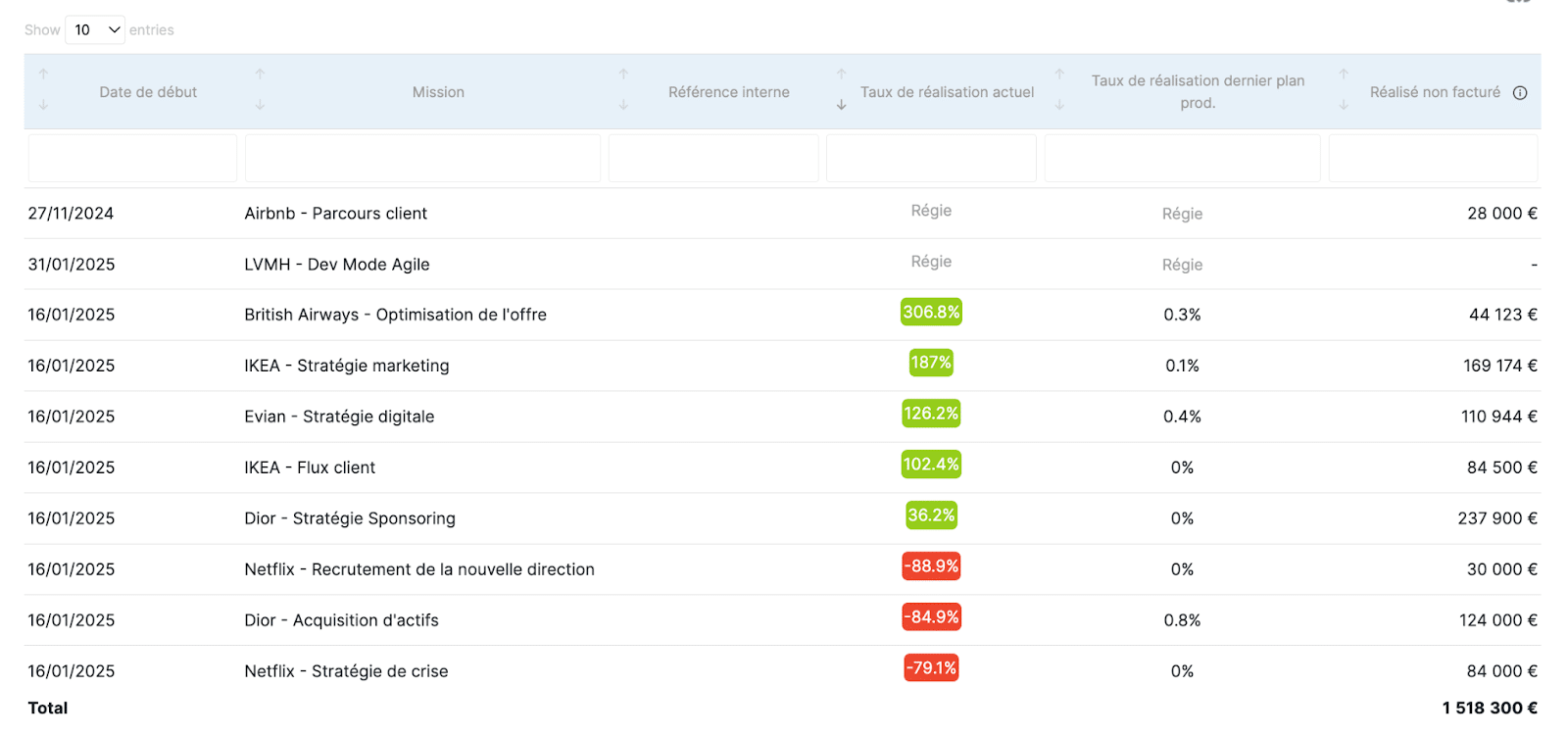
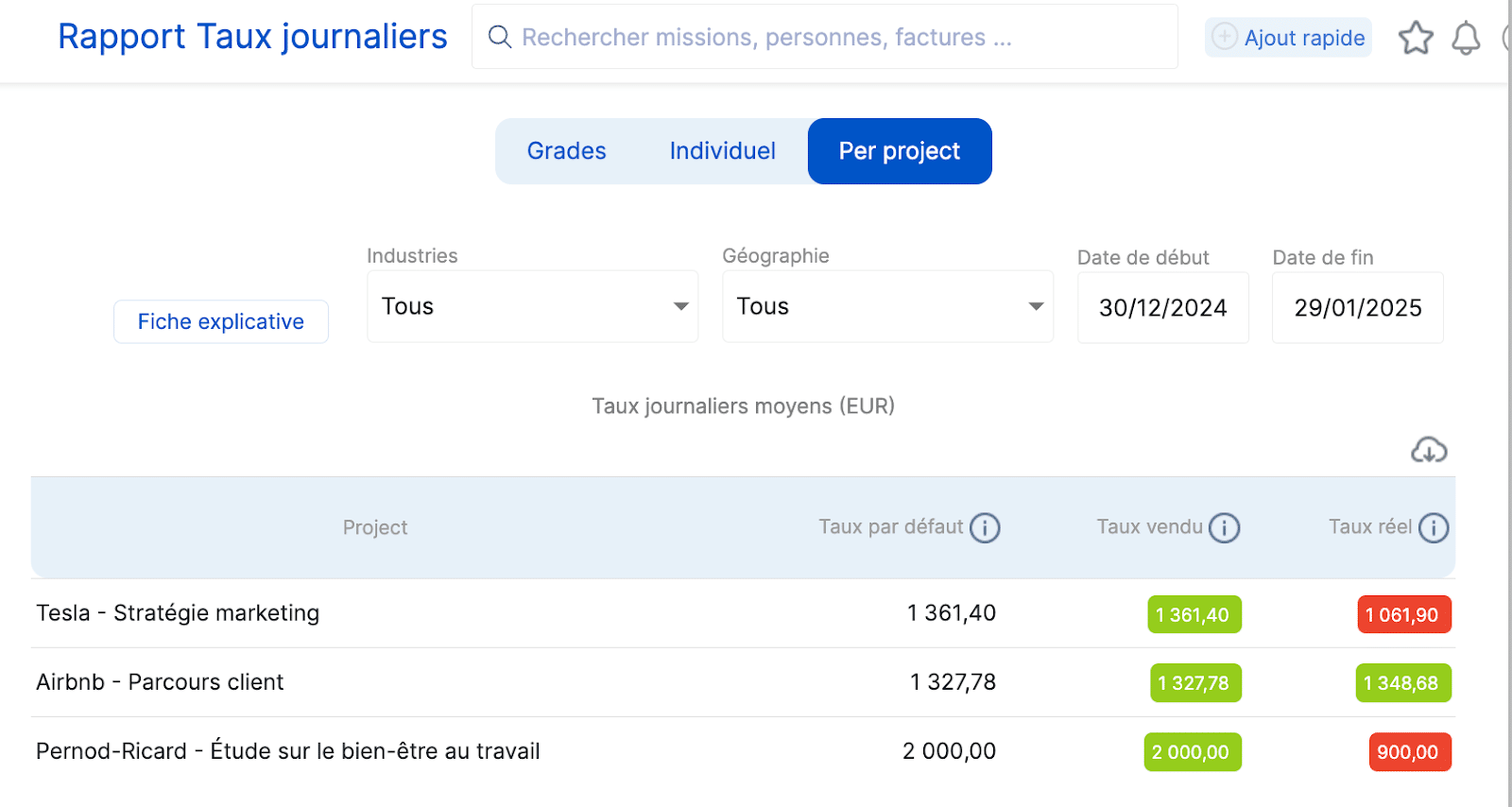
Stafiz offers features for tracking costs , such as:
- a forward-looking vision;
- the expected financial landing in the event of a change in resource planning, tasks, or budget;
- Consolidated data for all teams, with dedicated views by department (e.g. specific views for finance)
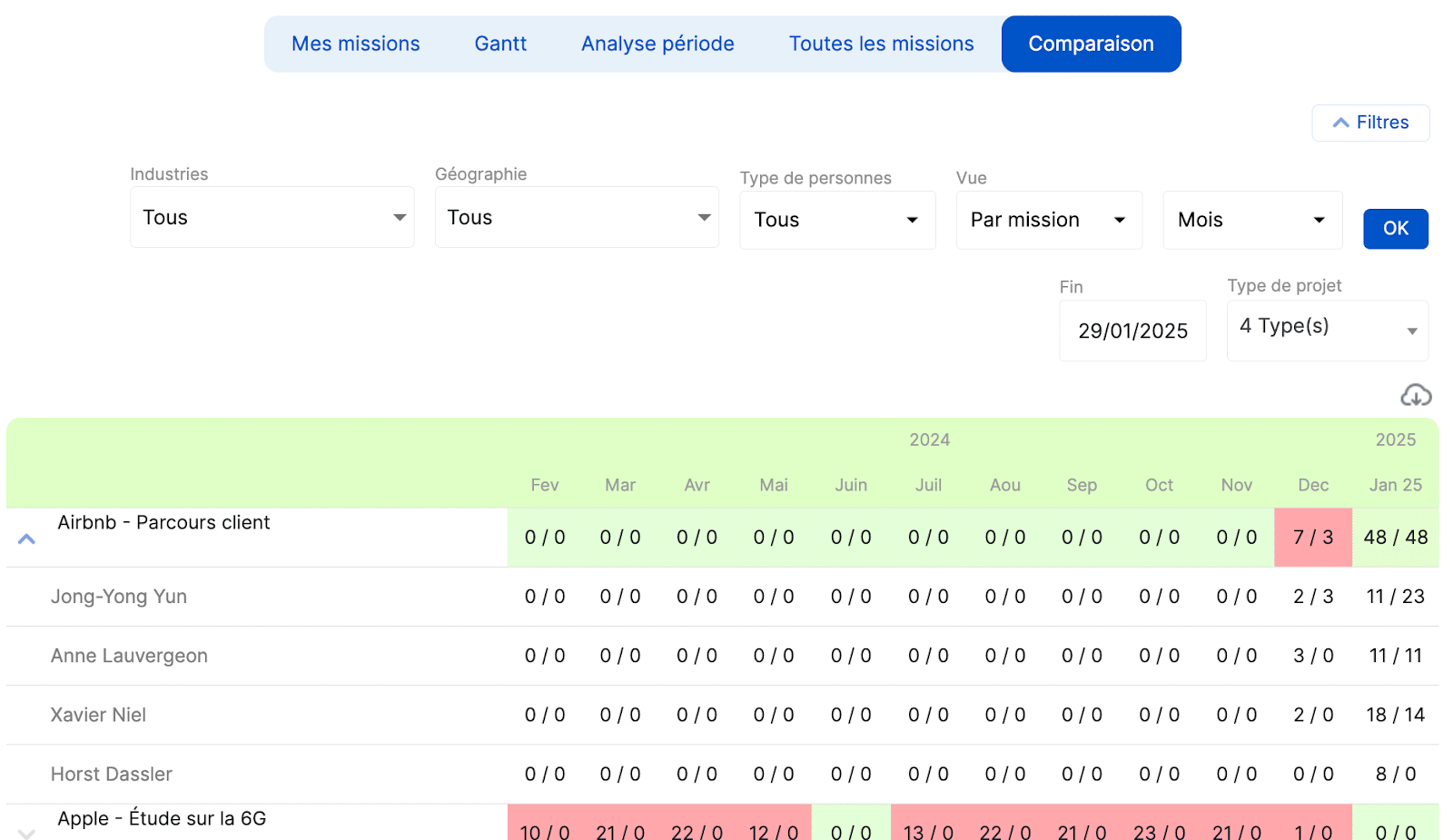
In addition, other features are also used to control the distribution of resources.
- Re-scheduling resources (in case of underload or overload) and identification of availability.
- Visualization of the resource planning on non-billable projects to reassign profiles.
- Optimization of reassigned assignments : possibility of modifying schedules in a few clicks (example: postponement of invoicing deadlines).
Align teams
Implementing a project plan also helps to align teams post-project.
Indeed, the centralization of data makes it possible to align the project, finance and HR teams, who have a clear visibility on the objectives achieved.
Thus, each department can have the project-by-project details for each profile.
Customer case study: Colorado Group improves its scheduling reliability and increases profit margins
Colorado Groupe is a marketing and customer relationship consulting firm with 50 employees. resource planning Forecasting was managed using Excel files: without visibility on the impact of leave on workload or on the remaining tasks, management could not calculate the projected margin for its projects or make progress on its utilization rate .

❝
Before using Stafiz, we were unable to improve our utilization rate. Thanks to Stafiz, we are managing our capacities much better and have improved our margins.
We turned to Stafiz, which not only allowed us to digitize our resource planning, but also to automatically calculate the remaining work to be done on projects.
Isabelle Lalet
Director of Development and Support
By digitizing his resource planning With Stafiz, Colorado Groupe centralized employee workload, integrated upcoming projects into the workload plan, and automated the calculation of remaining work. Results: +35% utilization rate , +15% margin on projects and 5 hours saved per week on schedule management.
Project planning is one of the pillars of project management . Indeed, it impacts all aspects of the project: financial, temporal, and resource-related.
However, setting up an effective project schedule cannot be improvised. This document must be prepared rigorously, but it is a living document, varying over the course of the project.
Our final advice: use existing templates, tools and methods to save time, and involve the teams! This will boost their involvement and help you build a realistic and relevant project schedule .
Frequently asked questions:
Adapting a project schedule in the event of unforeseen events is based on three key pillars: anticipation, flexibility and communication.
- Set up real-time monitoring: use project management tools (ERP, Gantt, Kanban, etc.) to quickly identify discrepancies and adjust tasks accordingly.
- Prioritize and replan: Assess the impact of changes on time, resources, and budget. Adjust the schedule according to the priority objectives and available constraints.
- Review resource allocation : If an unforeseen event impacts the workload, reallocate resources based on availability and required skills.
- Maintain smooth communication: Quickly inform stakeholders and involve them in decision-making to ensure optimal responsiveness.
- Allow for flexibility: Integrate time and budget buffers from the outset to absorb unforeseen events without compromising the project.