Automatically transfer "booked mission" time
Tip of the Month - Newsletter
Automatically transfer "booked mission" time
Did you know that it is possible to automatically transfer your "booked mission" time from a proposal once it has been won?
Nothing could be simpler: in the menu of your homepage, click on Admin > Admin Panel > Company Settings > CRM > Modules. In the "Management of proposal times when creating an assignment" tab, you will just have to tick:
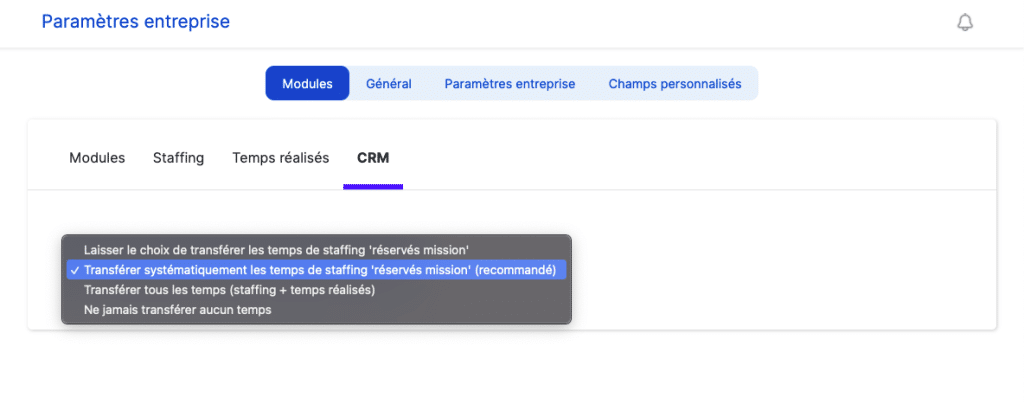
The benefit: an automatic transfer of the resource planning as soon as a winning business proposal is transformed into a mission.
You might be interested in other articles
Customer cases - Use cases


Yaniro streamlines his invoicing and business management with Stafiz
Anaïs...
Customer cases - Use cases


Digitize your resource planning for better performance monitoring: a challenge taken up by Projective
Anaïs...
Customer cases - Use cases


Optimizing Customer Relationship Management (CRM) with Stafiz: the case of Artimis
Natalia Duarte...